
Yesterday I looked at how to use the Azure AI Foundry connector in Power Automate. Today I’m doing the same within Power Apps, creating a Q&A app using GPT 4.1.
The Q&A app
So the app that I want to create needs to look like this
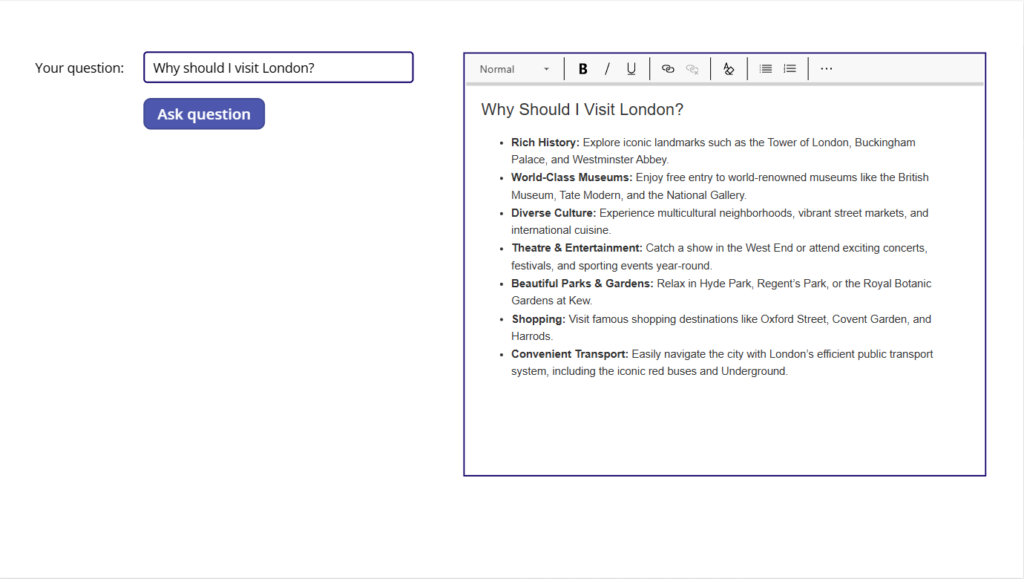
Now you could of course call the flow that we created yesterday from the app and then call this flow every time the user asks a question run the flow. But I’m going to take this a step further.
Calling the Azure AI Foundry connector from a Power App
First of all we need to add an input box, a Rich text editor and a button to the screen in the app.
Then we need to add the Azure AI Foundry connection. Make sure that you select the Azure AI Foundry Inference connector. The Azure AI Foundry Agent Service is a new connector that was released today. But that is going to be a different post soon.
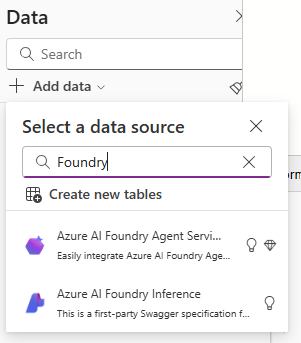
Then the magic all happens within the button’s OnSelect code.
Set(myVar, ParseJSON("{""myValue"" : ""Return in HTML format remove html header, " & TextInput2.Text & """}"));

Set(varOutput, AzureAIFoundryInference.ChatCompletion( {'api-version': "2025-01-01-preview",
                                          max_tokens:(1000),
                                          model:("gpt-4.1"),
                                          temperature:(1),
                                          top_p:(1),
                                          messages:([{role:"user",content: myVar.myValue}])
                                        }
                                    )
)
Now you might ask why set a variable using the ParseJSON function, can we not just use the code directly in the messages property? The challenge here is that the content in the messages property has to be untyped. Using the Parse JSONM we can very quickly create untyped data.
Formatting the output as HTML
Then within my prompt you will notice that we’re adding “Return in HTML format remove html header,” to the actual question entered by the user.
This will ensure that we get HTML returned rather than the default Markdown language. This is to make sure that our app will display formatted text properly.
Pieter Veenstra

Is your business still running on paper trails, sprawling Excel files, or ageing Access databases? There’s a better way — and I can show you exactly what it looks like. I’m the Technical Director of Vantage 365, a Microsoft solutions consultancy working with clients across the UK, the Netherlands, and worldwide. For over 30 years I’ve been turning messy, manual business processes into clean, automated systems that save time, reduce errors, and give teams the visibility they need to make better decisions. SharePains is not just any blog run by a Microsoft MVP. Have you ever used Try-Catch in Power Automate? The original post about Try-Catch in Power Automate can still be found on this site, https://staging.sharepains.com/2018/02/07/try-catch-finally-in-power-automate-flow/ Or have you ever used the Pieter’s method to avoid variables and speed up your flows? https://staging.sharepains.com/2020/03/11/pieters-method-for-advanced-in-flows/ You can contact me using contact@staging.sharepains.com


Leave a Reply
You must be logged in to post a comment.