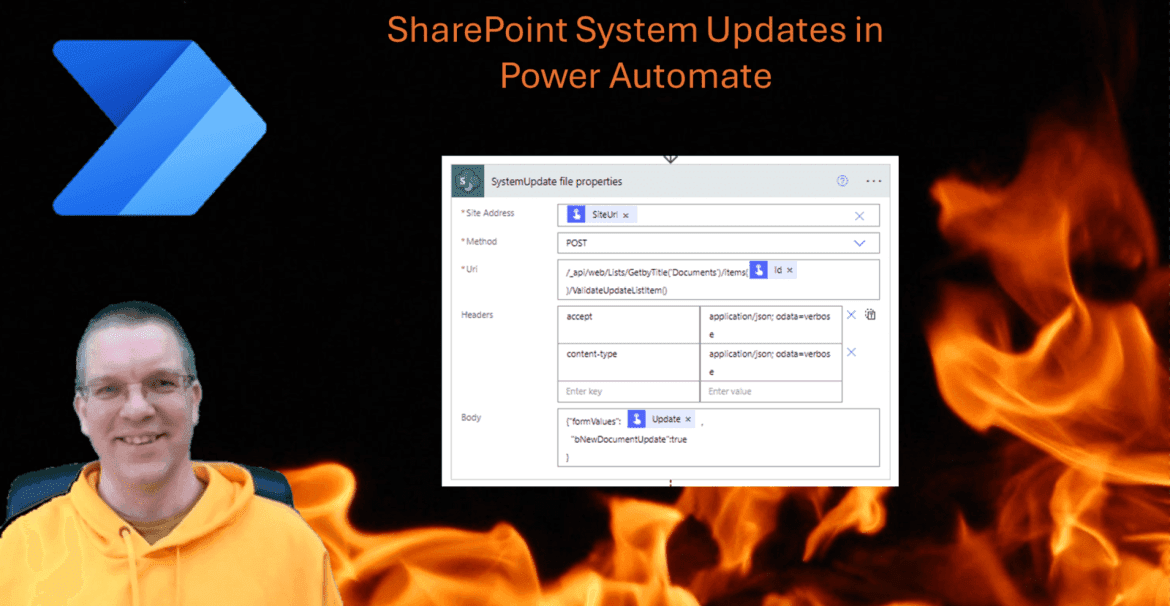
Today I wanted to update Documents/Items without triggering other flows. The ValidateUpdateListItem endpoint in the REST API made this System Update possible.
System Updates vs Updates
Normally when an item is updated in SharePoint, flows that are triggering on the list will run. Sometimes however, you might want to update the triggering list item with for example a new status value on the status field without triggering flows.
If you want to do this update and you don’t want a flow to trigger you can do a System Update. Silent update may be a better term for this, however in the SharePoint world this has been called System Update for quite a while.
When would you want to do a silent update? Imagine that the update of an item in SharePoint triggers a flow. Then the flow updates that same item, for example a status field is set to processed. You would now potentially end up in an endless loop of updates. And Silent update could avoid this.
So how can we do a silent update within a flow in Power Automate?
First I’m going to have a look at the REST API, ValidateUpdateListItem endpoint
The ValidateUpdateListItem endpoint
I have implemented my system update as part of a child flow so that I can call this silent update from other flows, without having to repeat the logic of the system update. Reusing code when possible is always a good idea.
Using the Send and HTTP request to SharePoint action we can construct the following action.
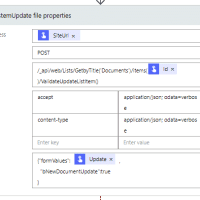
I’m taking the SiteUrl, the Item ID and the Update details as input for my System Update action. The above screenshot show an example of this.
I’m going to have a look at the formValues in a bit. First I will have a look at the bNewDocumentUpdate property.
The bNewDocumentUpdate we can set to true or to false. When this property is set to True, no new versions are created. Well …
This pain that I bumped into made me think for a while that the System Update didn’t work anymore. And I’m not the only one. On GitHub I found the same issue:
https://github.com/SharePoint/sp-dev-docs/issues/7424
Within the System Update we have to include the Editor field. Without the Editor field being included a new version is added to the updated item. So if you decide to use the end point mentioned make sure that you include the Editor.
Update Details
For an update to be successful we could set the formValues as shown below.
{"formValues":   [

   { "FieldName": "LastUpdatedFromFlow",

     "FieldValue": "2024-01-05 12:30.44"},

  { "FieldName":"Subject",

     "FieldValue": "Document5.docx"},

  { "FieldName": "DocumentType",

    "FieldValue" :"Letter"  },

 { "FieldName": "Editor",

    "FieldValue" : "[{'Key':'i:0#.f|membership|pieter.veenstra@mytenant.onmicrosoft.com'}]"

 }

]  ,

  "bNewDocumentUpdate":true

}
Notice that formValues is an array of objects with the following two properties:
- FieldName
- FieldValue
In the above example Subject is a simple text field, LastUpdatedFromFlow is a date field and DocumentType is a choice field. Editor is the out of the box modified by people field.
The way these system updates are configured are actually really good as the updates of most types are simply done by supplying the value that a user would see in the SharePoint User Interface.
The Editor
As mentioned the editor field is very important. And as mention in the above GitHub issue, the Editor needs to be set tot he Claim of a user ( with that “i:0#.f|membership|” stuff in front of the account) and otherwise it will not work.
Locked files
Do you remember locked files in SharePoint, well this approach is not affected by locked files. So you can update document properties without the need for a user to close the file. So you could compare this system update a bit with Co-Authoring.
FAQs
What is a system update in SharePoint?
A system update is an update that doesn’t trigger any alerts or flows. It is like the system is overwriting it’s normal behaviour by accepting an update without triggering any other processes. It is often used to allow updates to for example a status field, while other updates should trigger other processes.
Pieter Veenstra

Is your business still running on paper trails, sprawling Excel files, or ageing Access databases? There’s a better way — and I can show you exactly what it looks like. I’m the Technical Director of Vantage 365, a Microsoft solutions consultancy working with clients across the UK, the Netherlands, and worldwide. For over 30 years I’ve been turning messy, manual business processes into clean, automated systems that save time, reduce errors, and give teams the visibility they need to make better decisions. SharePains is not just any blog run by a Microsoft MVP. Have you ever used Try-Catch in Power Automate? The original post about Try-Catch in Power Automate can still be found on this site, https://staging.sharepains.com/2018/02/07/try-catch-finally-in-power-automate-flow/ Or have you ever used the Pieter’s method to avoid variables and speed up your flows? https://staging.sharepains.com/2020/03/11/pieters-method-for-advanced-in-flows/ You can contact me using contact@staging.sharepains.com


Leave a Reply
You must be logged in to post a comment.