Child Flows is one of the subjects that has been on my list of things to write about for quite a while. In this post the steps to get started with child flows.
My example flow
In this post I will create a flow that collects all tasks from all plans for all teams in my tenant. I wrote a post about this a while back in this post i’m going to use the collect all tasks from Planner flow as an example.
The basic flow looks like this:
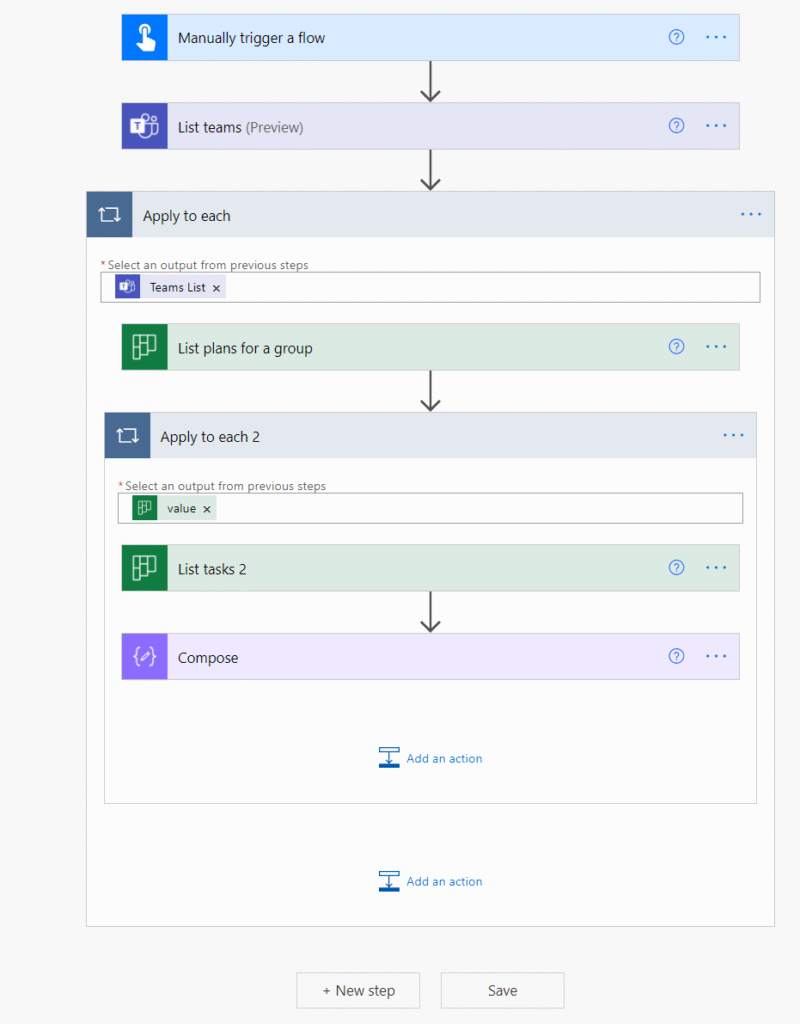
So how about replacing the apply to each steps with a child flow?
Creating a child flow
First of all, you can only call a child flow if your flows are part of a solution. So do make sure that you add your flows to a solution otherwise things will not work.
Then I created a flow that starts with a manual start and ends with a respond to a PowerApp or flow.
In between these steps I add all the steps that I already had in my original flow. The only difference is that i’m now getting the TeamId from the trigger.
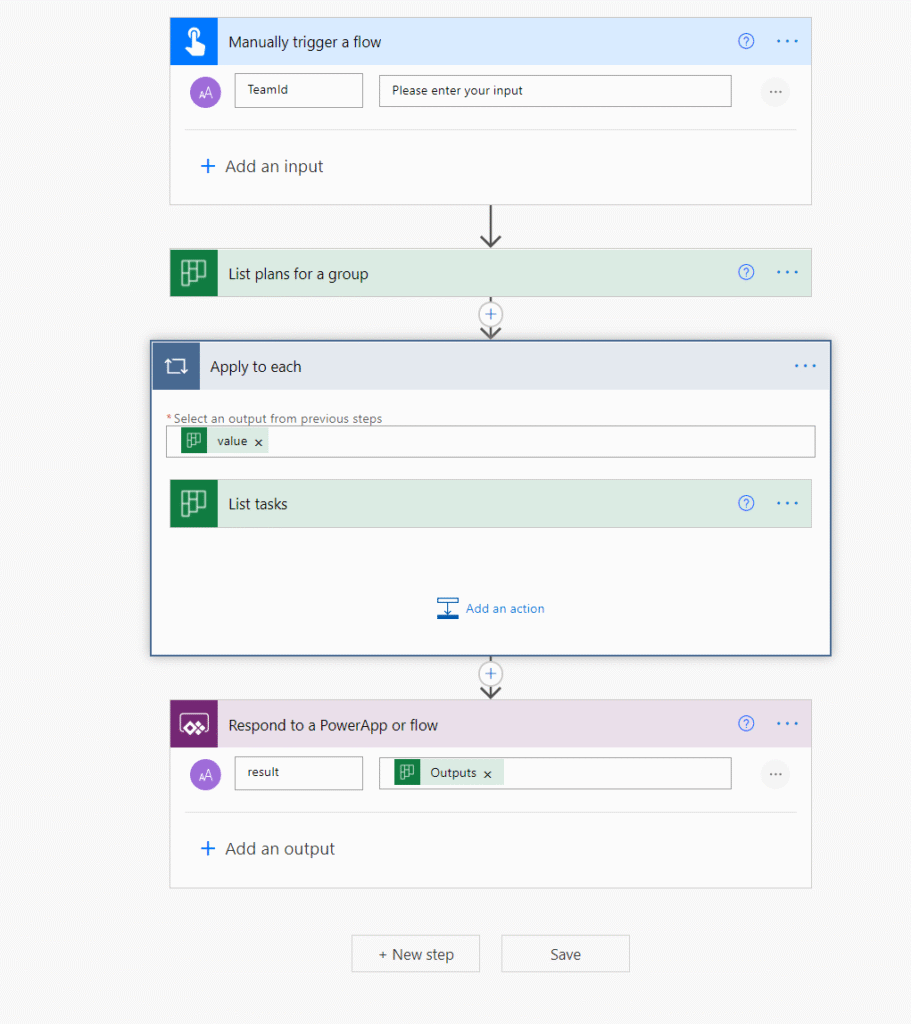
For the result output parameter I’m referring to the List tasks output as described in one of my previous posts about referencing actions inside apply to each steps.
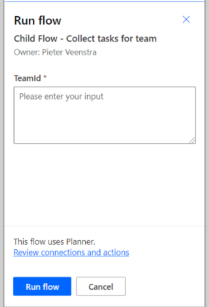
outputs('List_tasks')Once this flow has been created, it will be useful to test out the flow. This flow should now ask for a Team Id
Creating a parent flow
So now I created the parent flow and added the run a Child flow action for each team that I find in my tenant.
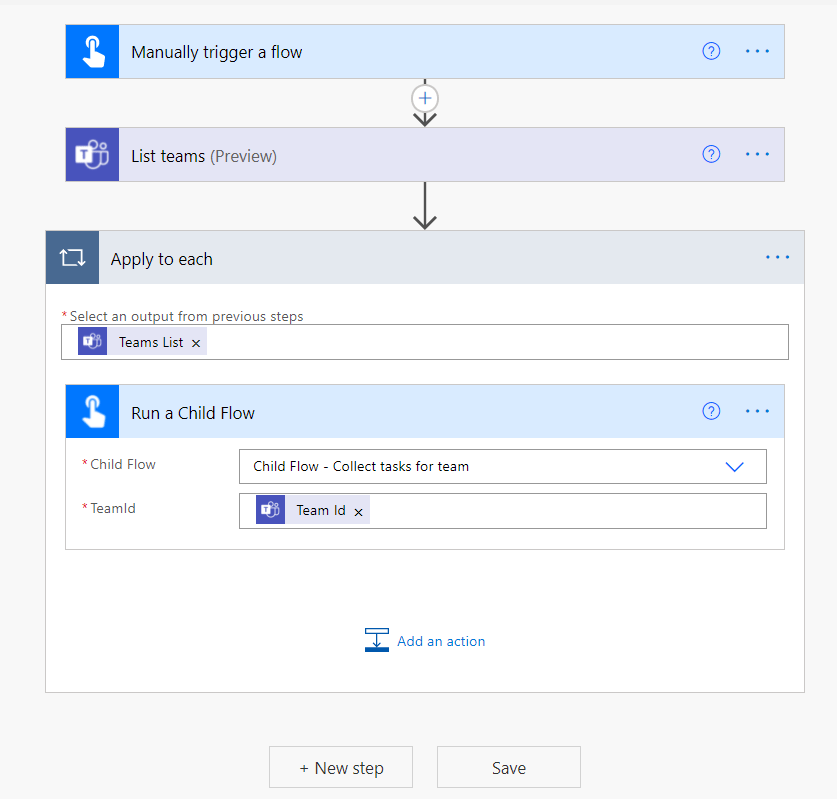
But it is not as easy as that!
Update the child flow for action ‘…’ to not use ‘run-only use’ connections
When you run the flow you will find quite quickly that you get the following error:
Update the child flow for action ‘Run_a_Child_flow’ to not use ‘run-only use’ connections.
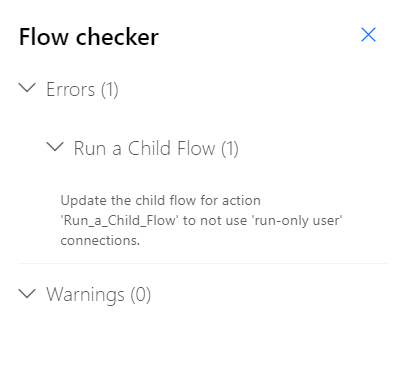
Ok, what does that mean?
We will have to correct some connections within the child flow. This can be done by going to the child flow in Power Automate.
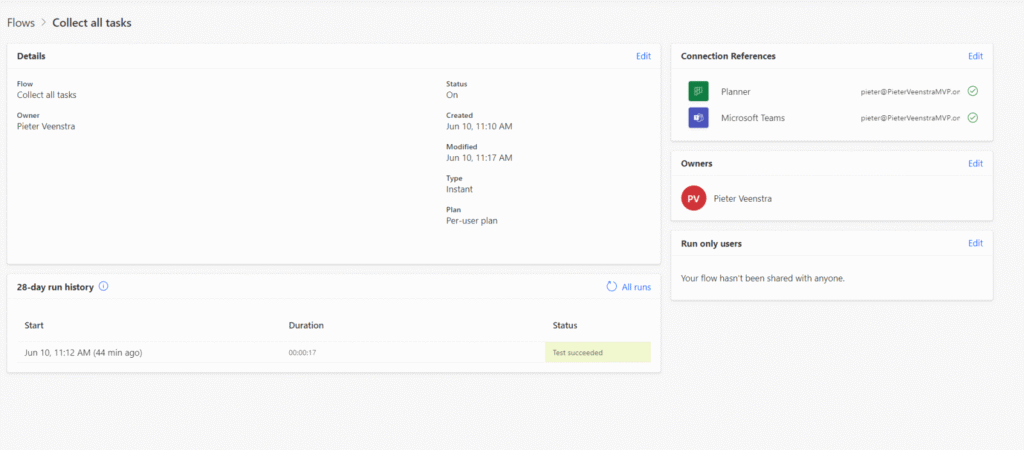
When you click on the edit link on the right near the Run-Only users you will get the following dialog.
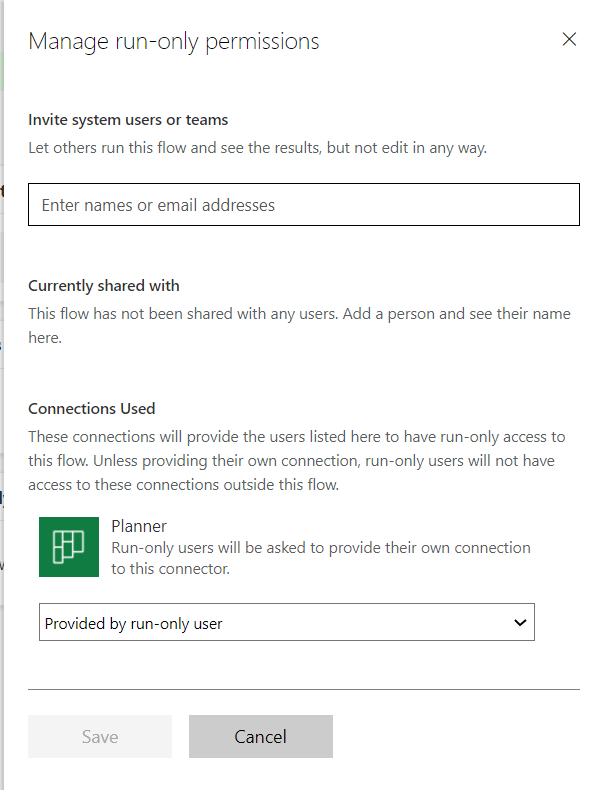
For each connection you can select the provided run-only user and then select an existing connection.
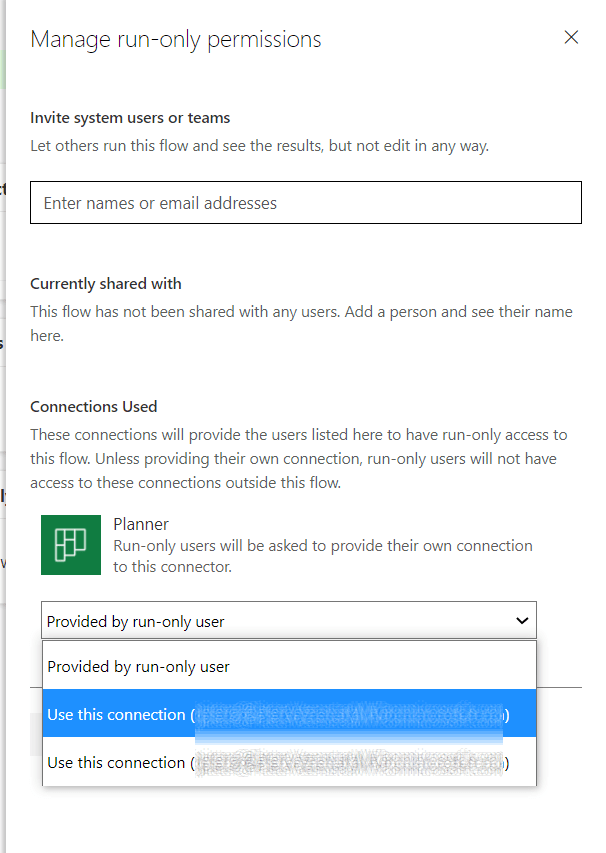
Once this change has been made your flow will run and the child flows will be kicked off.
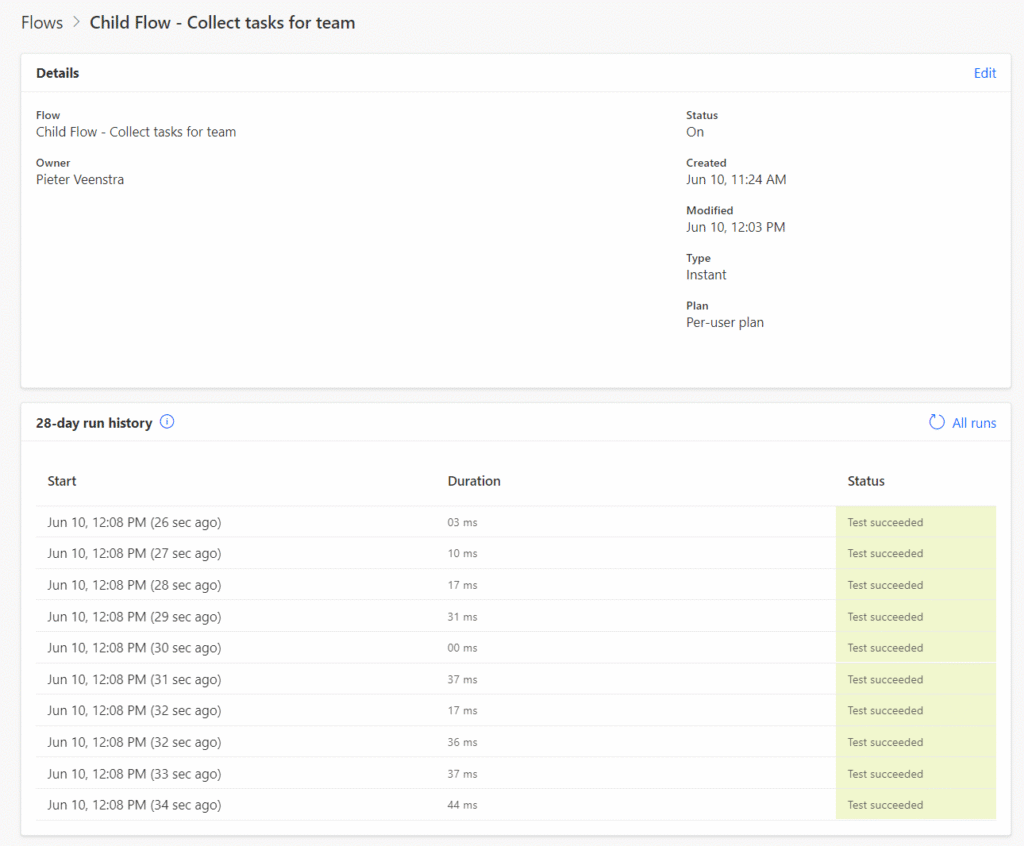
Get the results from the child flows
Now I use a Select action to collect the results from my child flows.
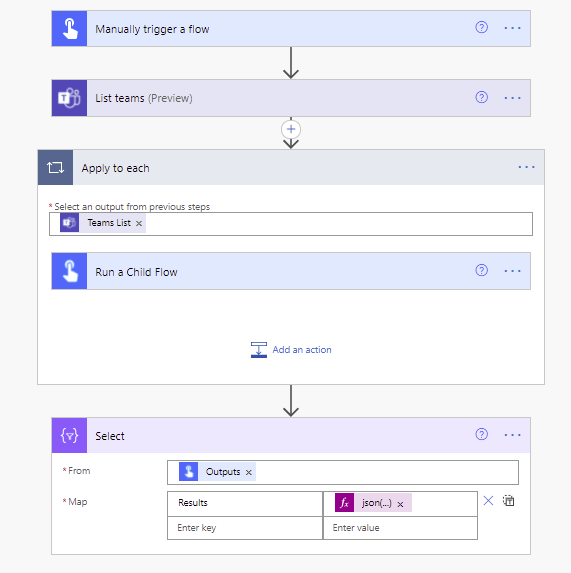
For the From settings use:
outputs('Run_a_Child_flow')And for the Results mapping :
json(item()?['body/Result'])And now we have the results of all our child flows back.
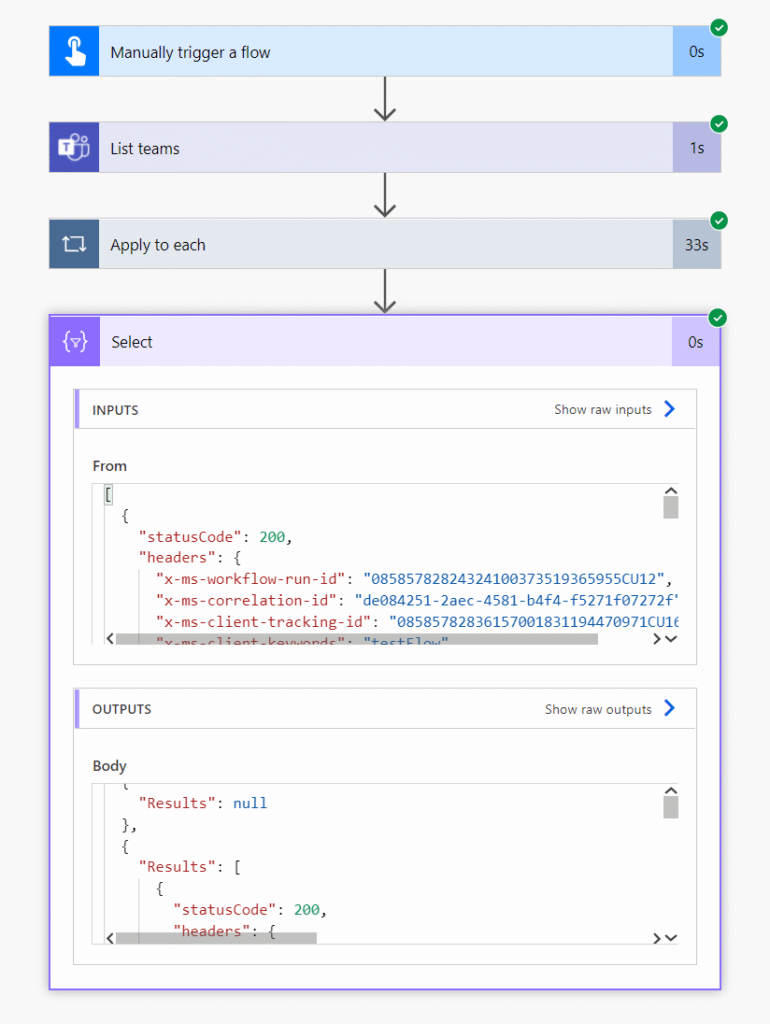
Benefits of child flows
There are some benefits of these child flows. The number of Apply to each steps can be reduced and therefore the method of referencing actions inside apply to each will work better. This referencing is only allowed for 1 level of apply to each steps. As soon as you have nested apply to each steps it is impossible to use this method.
Using child flows performance will not really help performance as there is a bit of overhead. But separating that one large flow into smaller flows could quite well be very helpful with error handling. You could even thinking about adding the Try-catch pattern to each child flow might quite well help debugging the flows as you can direct people directly to the child flow run that failed.
Pieter Veenstra

Is your business still running on paper trails, sprawling Excel files, or ageing Access databases? There’s a better way — and I can show you exactly what it looks like. I’m the Technical Director of Vantage 365, a Microsoft solutions consultancy working with clients across the UK, the Netherlands, and worldwide. For over 30 years I’ve been turning messy, manual business processes into clean, automated systems that save time, reduce errors, and give teams the visibility they need to make better decisions. SharePains is not just any blog run by a Microsoft MVP. Have you ever used Try-Catch in Power Automate? The original post about Try-Catch in Power Automate can still be found on this site, https://staging.sharepains.com/2018/02/07/try-catch-finally-in-power-automate-flow/ Or have you ever used the Pieter’s method to avoid variables and speed up your flows? https://staging.sharepains.com/2020/03/11/pieters-method-for-advanced-in-flows/ You can contact me using contact@staging.sharepains.com


Leave a Reply
You must be logged in to post a comment.