A While back I wrote a post about Updating People Fields in SharePoint using Flow. On of the requirement is to get the user ID of the user that you want to set a field to.
Get the user ID of a SharePoint user
How do we get this field ID?
We will need to have the Id to set a people field. Note from my previous post that you want to set a field PersonID if your field is called Person.
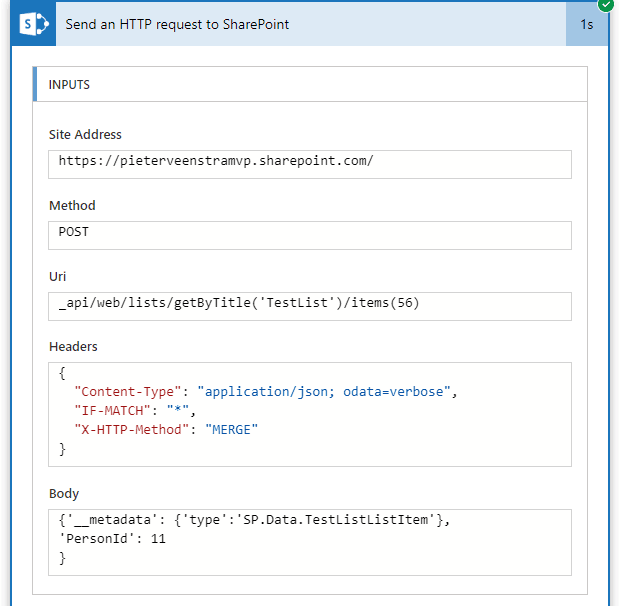
The hidden user list
You might remember the hidden user list post by Thomas Zimmergren.
You can get the items from the hidden user list in two different ways. Either use a REST API call or just use the Get Items action in flow. Whichever has your preference.
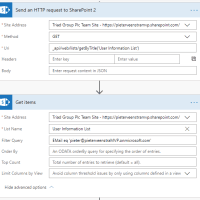
I’m now using the Get items action.
To Update the list item I’m using the REST API call. Why? Simply because I want my flows to be more generic. I need to be able to copy Flows between environments. This also means that I need to be able to soft copy rather than hard copy the SharePoint site url.
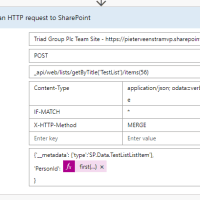
The Get Items will give me an array of 1 users. I queried by email address and I know for sure that I will only get one item back. To make sure that I don’t get one of those annoying apply to each steps added I’m including a first function which will give me the first item in the array of users. The full expression for this is:
first(body('Get_items')?['value'])?['Id']Pieter Veenstra

Is your business still running on paper trails, sprawling Excel files, or ageing Access databases? There’s a better way — and I can show you exactly what it looks like. I’m the Technical Director of Vantage 365, a Microsoft solutions consultancy working with clients across the UK, the Netherlands, and worldwide. For over 30 years I’ve been turning messy, manual business processes into clean, automated systems that save time, reduce errors, and give teams the visibility they need to make better decisions. SharePains is not just any blog run by a Microsoft MVP. Have you ever used Try-Catch in Power Automate? The original post about Try-Catch in Power Automate can still be found on this site, https://staging.sharepains.com/2018/02/07/try-catch-finally-in-power-automate-flow/ Or have you ever used the Pieter’s method to avoid variables and speed up your flows? https://staging.sharepains.com/2020/03/11/pieters-method-for-advanced-in-flows/ You can contact me using contact@staging.sharepains.com


Leave a Reply
You must be logged in to post a comment.