As the final episode of the Function Library pattern in Flow I’m going to look at error handling. Before I go any further please do review the following posts:
- Function Libraries in Microsoft Flow – the basics
- Function Libraries in Microsoft Flow – Calling multiple functions
- Microsoft Flow – Implementing a Try, Catch , Finally in a flow
Handling failing actions
During the development of a flow you will find many actions can fail for many different reasons. During the development you might not even have considered certain failures
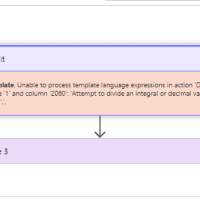
In the app that I developed in the first 2 parts of this series I included a divide function branch. Of course I didn’t think that someone could try to divide numbers by 0 and my flow failed:
Try Catch Pattern
I decided to add my try catch pattern to the function library pattern. I could now build the try catch around the whole flow however that means that I would only know that one of the functions called has failed but I wouldn’t know which one or in which manner.
With the following construction I added my error handling on the divide steps
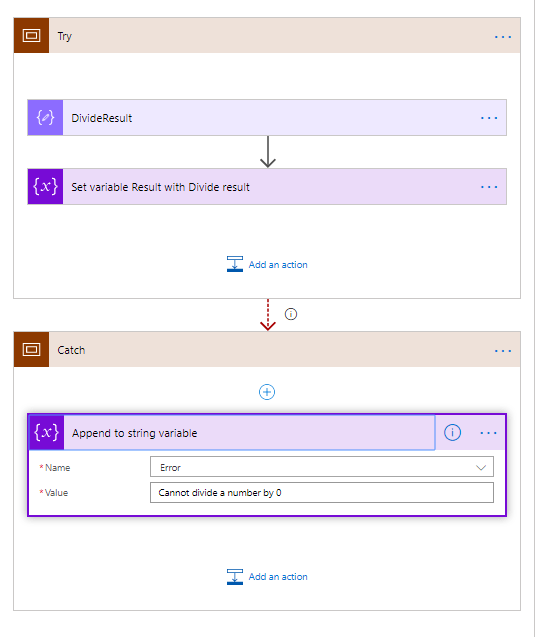
Wow, this is good, now I can collect the errors that happened in an Error variable. Ok, this pattern here is a bit simplified. I could do a lot more, but I don’t want to over complicate things at this stage. I could for example imagine that you want to handle some errors as critical (i.e. end the flow) and some other error message you might want to just ignore.
Also if you have for example REST API calls to SharePoint you might want to collect the error message returned by the output from these actions.
Reporting errors back to users
Now that I’ve got an error message to report there is just one step left to complete. Report it back to the user.
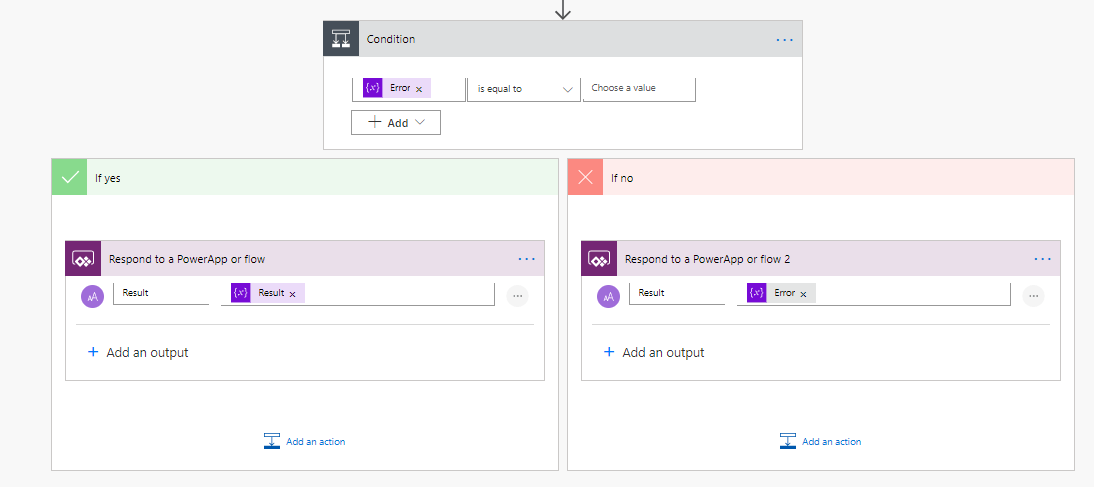
With a small change to my flow and I’m reporting the error back to the app.
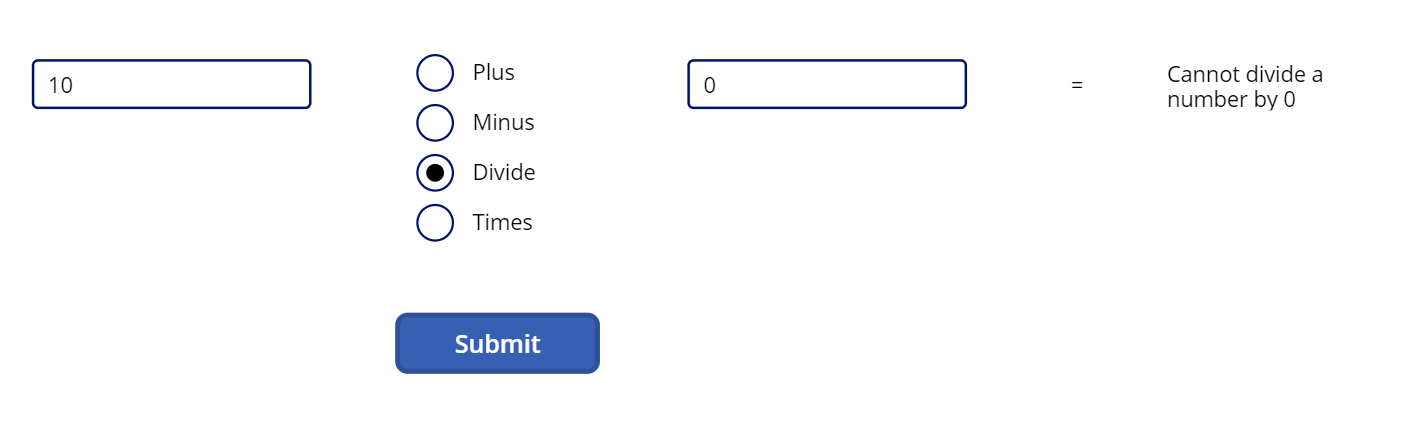
Now when the user tried to submit an invalid division, I can report the flow error back to the user
Pieter Veenstra

Is your business still running on paper trails, sprawling Excel files, or ageing Access databases? There’s a better way — and I can show you exactly what it looks like. I’m the Technical Director of Vantage 365, a Microsoft solutions consultancy working with clients across the UK, the Netherlands, and worldwide. For over 30 years I’ve been turning messy, manual business processes into clean, automated systems that save time, reduce errors, and give teams the visibility they need to make better decisions. SharePains is not just any blog run by a Microsoft MVP. Have you ever used Try-Catch in Power Automate? The original post about Try-Catch in Power Automate can still be found on this site, https://staging.sharepains.com/2018/02/07/try-catch-finally-in-power-automate-flow/ Or have you ever used the Pieter’s method to avoid variables and speed up your flows? https://staging.sharepains.com/2020/03/11/pieters-method-for-advanced-in-flows/ You can contact me using contact@staging.sharepains.com


Leave a Reply
You must be logged in to post a comment.