Have you ever tried to sort an array or collection in Power Automate?
The sort function in Power Automate
Did you ever look for the Sort function when you build your expressions?
You can stop searching! It doesn’t exist. There is no easy way to sort an array. But it is not impossible to sort your array.
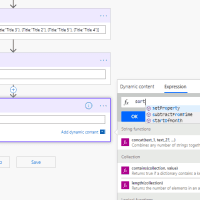
To filter an array is easy, as there is an action for that, but sorting can be a real pain.
The Sort an array Azure Function
You could however create an Azure function. Only recently the option to create Powershell v2 functions Apps can be created in Azure.
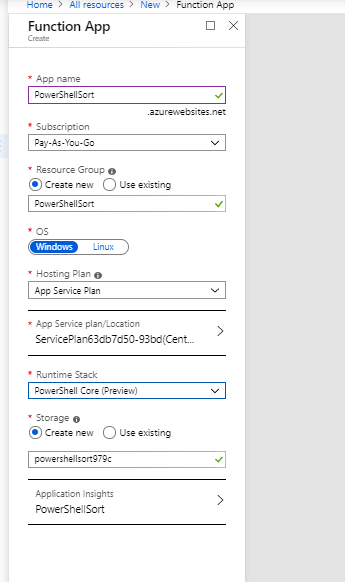
You can of course do similar thing in C# but, isn’t PowerShell a lot easier?
Once the function has been created you will get the following example:
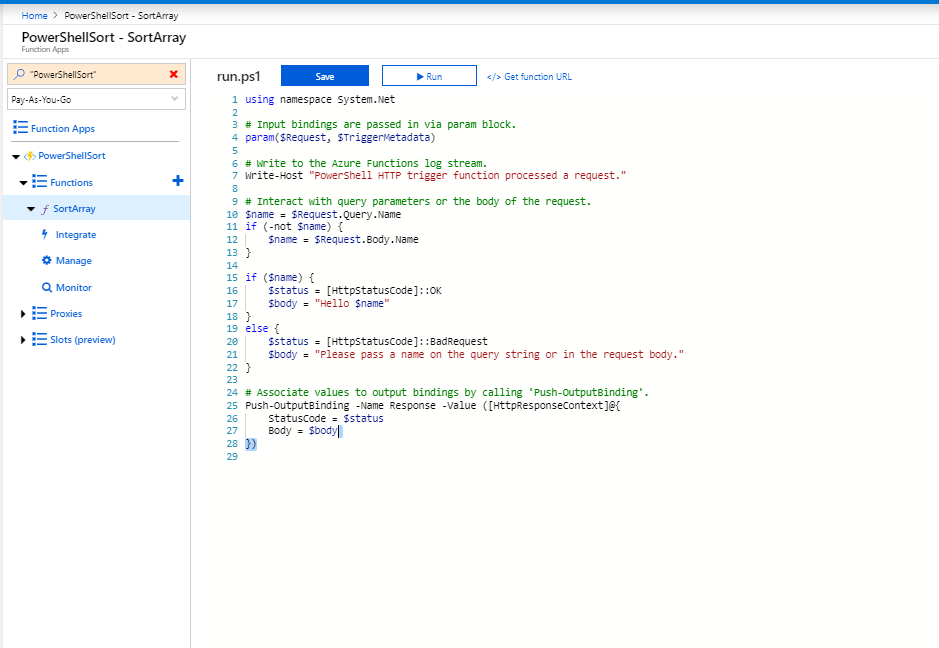
The above code needs to be adjusted so that my json is received and sorted and then returned.
The above code I’m replacing with:
using namespace System.Net

# Input bindings are passed in via param block.
param($Request, $TriggerMetadata)

# Write to the Azure Functions log stream.
Write-Host "PowerShell HTTP trigger function processed a request."

# Interact with query parameters or the body of the request.
$myArray = $Request.Query.MyArray
if (-not $MyArray) {
  $myArray = $Request.Body.MyArray
}

if ($myArray) {

  $myArrayObj = ConvertFrom-JSON $myArray

  $mySortedArrayObj = $myArrayObj | Sort-Object -Property Title

  $body = ConvertTo-Json $mySortedArrayObj
  $status = [HttpStatusCode]::OK
}
else {
  $status = [HttpStatusCode]::BadRequest
  $body = "Please pass a json on the query string or in the request body."
}

# Associate values to output bindings by calling 'Push-OutputBinding'.
Push-OutputBinding -Name Response -Value ([HttpResponseContext]@{
     StatusCode = $status
     Body = $body
})
The Flow

The first Compose contains the following unsorted json collection:
[{Title:'Title 1', Description:'Description 1'},
{Title:'Title 3', Description:'Description 3'},
{Title:'Title 2', Description:'Description 2'},
{Title:'Title 5', Description:'Description 5'},
{Title:'Title 4', Description:'Description 4'}]
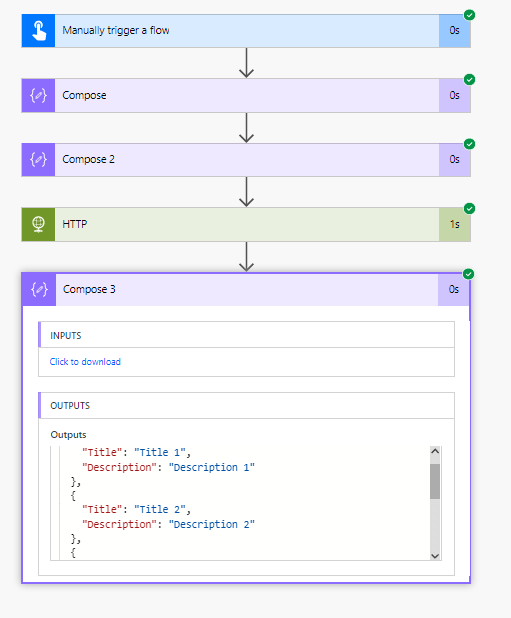
The second Compose validates my json. This isn’t really needed but always good to do during tests like this.
Then the 3rd Compose returns the result.
Pieter Veenstra

Is your business still running on paper trails, sprawling Excel files, or ageing Access databases? There’s a better way — and I can show you exactly what it looks like. I’m the Technical Director of Vantage 365, a Microsoft solutions consultancy working with clients across the UK, the Netherlands, and worldwide. For over 30 years I’ve been turning messy, manual business processes into clean, automated systems that save time, reduce errors, and give teams the visibility they need to make better decisions. SharePains is not just any blog run by a Microsoft MVP. Have you ever used Try-Catch in Power Automate? The original post about Try-Catch in Power Automate can still be found on this site, https://staging.sharepains.com/2018/02/07/try-catch-finally-in-power-automate-flow/ Or have you ever used the Pieter’s method to avoid variables and speed up your flows? https://staging.sharepains.com/2020/03/11/pieters-method-for-advanced-in-flows/ You can contact me using contact@staging.sharepains.com


Leave a Reply
You must be logged in to post a comment.