
Today, some of my friends were finding problems with the SharePoint connector related to 429 errors not being reported properly by Flow properly. Apparently the SharePoint API is giving 429 errors, however the Flow connector it reporting 401 error messages.
This made me think about rerunning my 429 error tests and I noticed a few strange behaviours.
General setup
I’ve got a test list in SharePoint and a Flow that creates 4 items when a new item is created.
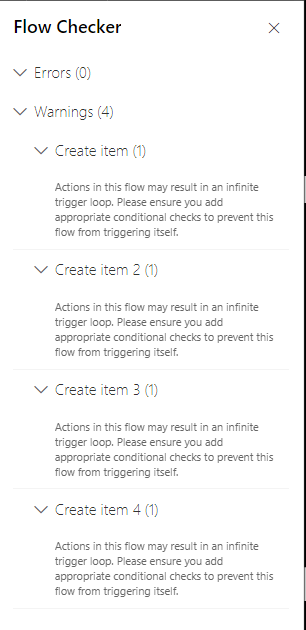
Thew Flow Checker immediately throws 4 warnings about infinite loops at me.

Then as a start to flood the system I noticed that my successful flows are throwing warnings too
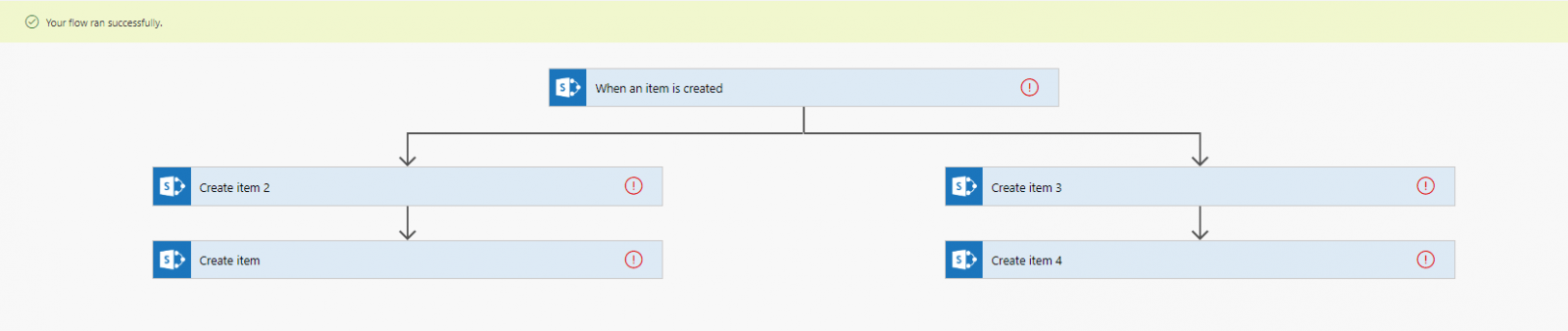
And when I hover over the warnings I see the Error loading component.

Some of my flows failed and report the Rate limit is exceeded. Try again in 2 seconds
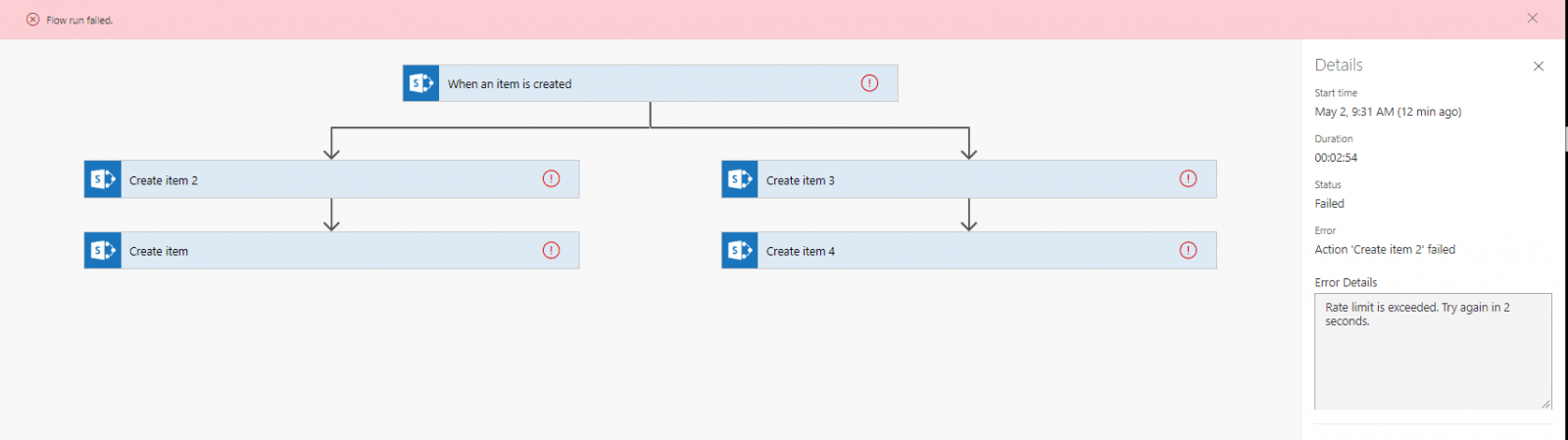
It looks like something has changed in the Flow connectors as I’ve not seen this behaviour like this before. Of course the easy fix here is make sure that you don’t have infinite loops!
Also, I noticed that the flows flood a lot faster than in the past when I ran the same tests. This probably shows that some of the performance improvements made are taking affect.
I also tried a similar test where I’m flooding the system a bit slower by removing 2 of the create items

Now my flow runs work a lot better and the Error Loading Component warnings disappeared. This might be another lesson learned. When you flood a system do it slowly. To solve these kind of flooded system problems you could consider:
- Build in a delay
- Increase time outs
In my above ‘silly’ test, I’m simply doing something that shouldn’t be done, but plenty of business systems do have really heavy peaks. These peaks could be handled with the delay or timeout solutions.
Pieter Veenstra

Is your business still running on paper trails, sprawling Excel files, or ageing Access databases? There’s a better way — and I can show you exactly what it looks like. I’m the Technical Director of Vantage 365, a Microsoft solutions consultancy working with clients across the UK, the Netherlands, and worldwide. For over 30 years I’ve been turning messy, manual business processes into clean, automated systems that save time, reduce errors, and give teams the visibility they need to make better decisions. SharePains is not just any blog run by a Microsoft MVP. Have you ever used Try-Catch in Power Automate? The original post about Try-Catch in Power Automate can still be found on this site, https://staging.sharepains.com/2018/02/07/try-catch-finally-in-power-automate-flow/ Or have you ever used the Pieter’s method to avoid variables and speed up your flows? https://staging.sharepains.com/2020/03/11/pieters-method-for-advanced-in-flows/ You can contact me using contact@staging.sharepains.com


Leave a Reply
You must be logged in to post a comment.