In SharePoint Designer workflows it was easy to find your workflows, but how do you find out which Power Automate flow ran related to a specific item?
Troubleshooting Power Automate Flows
The previous posts in my series about troubleshooting flows in Microsoft are:
Which Power Automate flow run ran on my item?
Have you had the same problem I’ve had? A user complains about a flow failing and you have no way of finding the failing flow. Especially when there are many instances of a flow running. It could mean that 100s of flow runs happened since the reported issue.
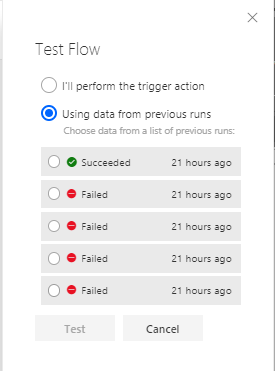
You might even try to rerun your flow but which one to pick?
The solution is now here!
I’m starting with the workflow function. I’m adding this function ins a Compose step

This gives me the following output.
{
    "id": "/workflows/3e3284b1d7ea4a17a7492025c29d98b7",
    "name": "fda4d8bb-dde9-38e2-f227-97ebcaf6c559",
    "type": "Microsoft.Logic/workflows",
    "location": "uksouth",
    "tags": {
        "flowDisplayName": "Untitled flow",
        "licenseContextConfigName": "CONTEXT_USER-092E5A703D8940FF8FB0E3D84FF7669D_POWERAUTOMATE_PREMIUM40K",
        "environmentName": "301e2fe6-89b8-ebbd-8997-93567940f5a5",
        "logicAppName": "fda4d8bb-dde9-38e2-f227-97ebcaf6c559",
        "environmentWorkflowId": "301e2fe6:2D89b8:2Debbd:2D8997:2D93567940f5a5-ea3a1fb6:2D8570:2D65be:2Deb74:2D889b24db7d4d",
        "xrmWorkflowId": "ea3a1fb6-8570-65be-eb74-889b24db7d4d",
        "environmentFlowSuspensionReason": "301e2fe6:2D89b8:2Debbd:2D8997:2D93567940f5a5-None",
        "sharingType": "CommonDataService",
        "state": "Enabled",
        "createdTime": "12/10/2025 2:46:17 PM",
        "lastModifiedTime": "12/10/2025 2:46:17 PM",
        "createdBy": "092e5a70-3d89-40ff-8fb0-e3d84ff7669d",
        "triggerType": "Instant",
        "createdByUserId": "3985C6A611D84C1384A91847F555AE47-301E2FE689B8EBBD899793567940F5A5-ENV"
    },
    "run": {
        "id": "/workflows/3e3284b1d7ea4a17a7492025c29d98b7/runs/08584362289001465793381833482CU17",
        "name": "08584362289001465793381833482CU17",
        "type": "Microsoft.Logic/workflows/runs"
    }
}
Ok the above is just a bit of json but this is actually very helpful stuff. Before looking further at the above json I’m going to have a look at the url of my flow history. That matches the above run:
https://make.powerautomate.com/environments/301e2fe6-89b8-ebbd-8997-93567940f5a5/flows/ea3a1fb6-8570-65be-eb74-889b24db7d4d/runs/08584362289001465793381833482CU17
There are 3 guids that I need to find aso that I can build up the flow history url.
The first guid is my environmentName (301e2fe6-89b8-ebbd-8997-93567940f5a5), then I’ve got the flow name ( ea3a1fb6-8570-65be-eb74-889b24db7d4d) and finally the run (08584362289001465793381833482CU17).
Now all I need to do is update my triggering list item in SharePoint with the URL and I can find my flow history back!
The details steps can be found in part 2
Pieter Veenstra

Is your business still running on paper trails, sprawling Excel files, or ageing Access databases? There’s a better way — and I can show you exactly what it looks like. I’m the Technical Director of Vantage 365, a Microsoft solutions consultancy working with clients across the UK, the Netherlands, and worldwide. For over 30 years I’ve been turning messy, manual business processes into clean, automated systems that save time, reduce errors, and give teams the visibility they need to make better decisions. SharePains is not just any blog run by a Microsoft MVP. Have you ever used Try-Catch in Power Automate? The original post about Try-Catch in Power Automate can still be found on this site, https://staging.sharepains.com/2018/02/07/try-catch-finally-in-power-automate-flow/ Or have you ever used the Pieter’s method to avoid variables and speed up your flows? https://staging.sharepains.com/2020/03/11/pieters-method-for-advanced-in-flows/ You can contact me using contact@staging.sharepains.com


Leave a Reply
You must be logged in to post a comment.