Business vs educational tenant with Microsoft Teams

Business vs educational tenant with Microsoft Teams

By:

Date:

Today, I’m comparing Microsoft Teams within and Educational tenant and a business tenant.

Business tenant vs Educational tenant

Well in case you didn’t know yet, Microsoft Teams is very different from Microsoft Teams.

I’ve got 2 Office 365 tenants to play around with:

  • My business tenant
  • An educational tenant

When I create a new team in my business tenant I get the expected dialog that we are all used to.
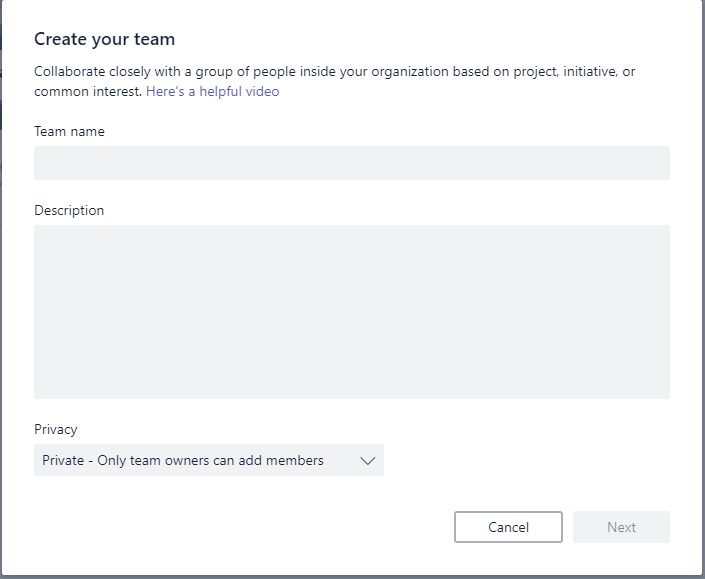
Business vs educational tenant with Microsoft Teams

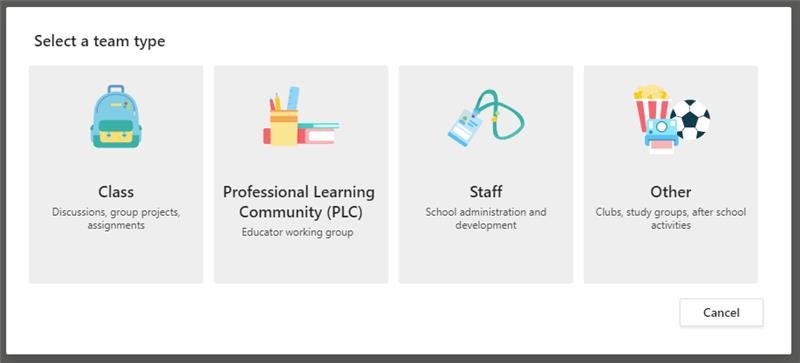
But when you create a team in the education site you get some very different dialogs.
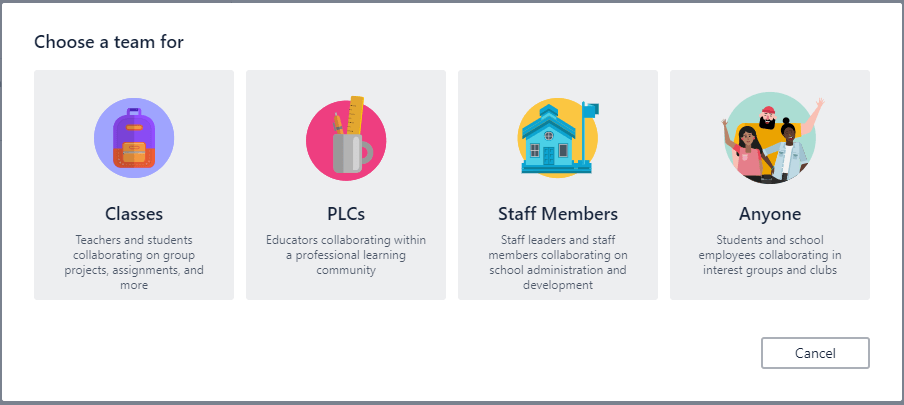
Educational tenant team templates

So there are 4 different type of teams sites in the educational tenant.

  • Classes
  • PLCs (Professional Learning Communities)
  • Staff Members
  • Anyone

So what is the difference?

Classes

Class teams have an additional notebook and options for assignments.
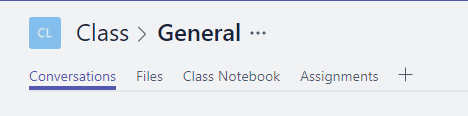
Business vs educational tenant with Microsoft Teams

Class notebook

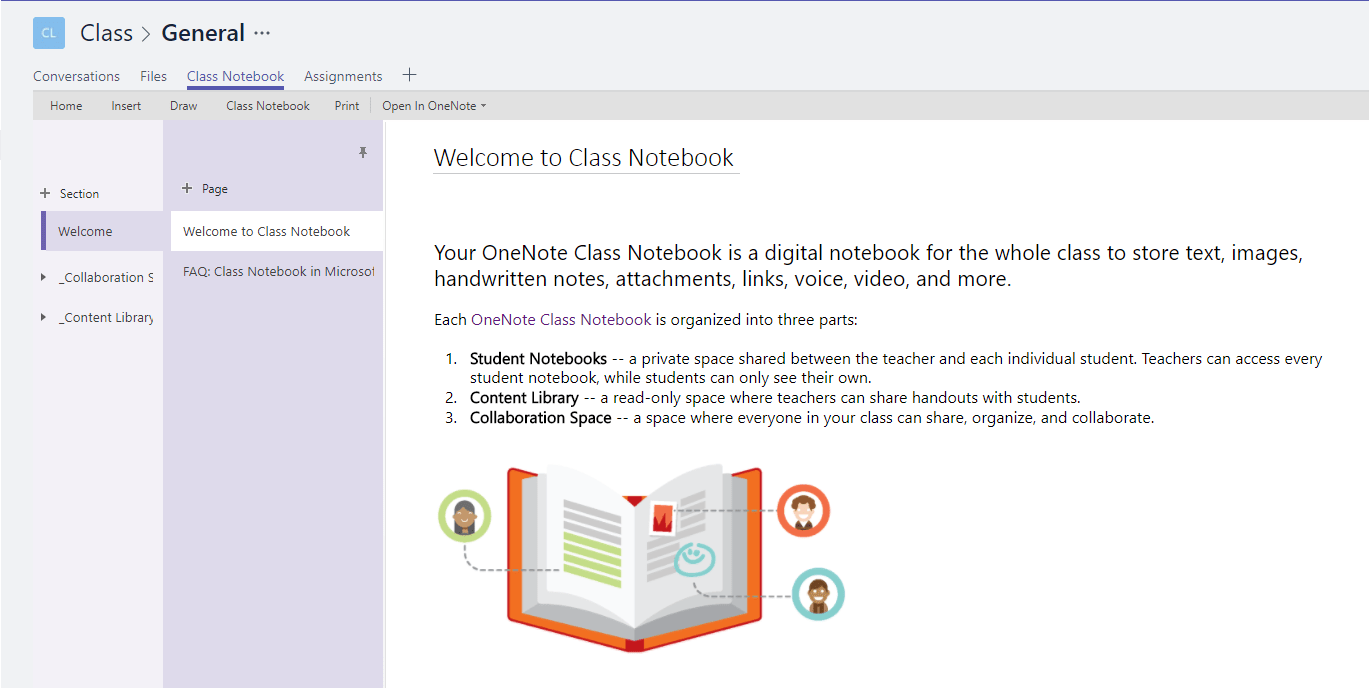
In the educational tenant when I click on the Class notebook in the tabs a quick overview is presented.
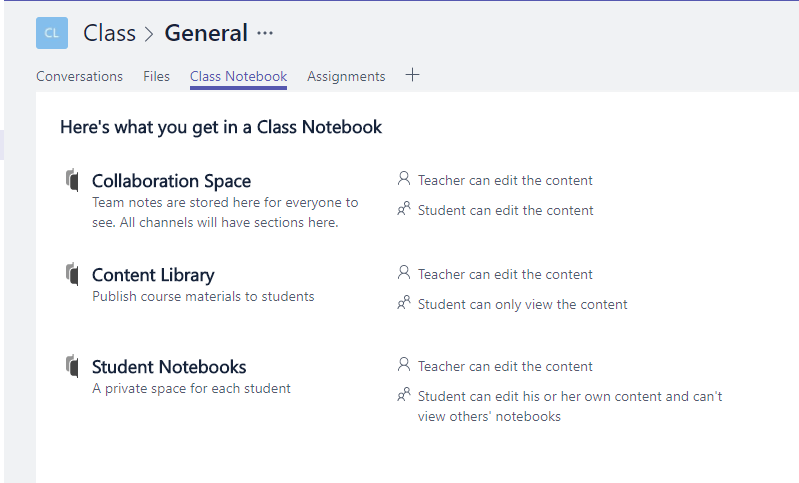
Business vs educational tenant with Microsoft Teams

Then you can specify which sections you want in your notebook:
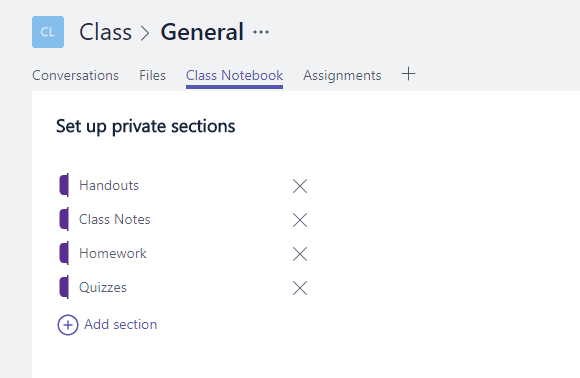
Business vs educational tenant with Microsoft Teams

And then Microsoft teams will get things ready for you:
Business vs educational tenant with Microsoft Teams

And then your notebook is ready:

Business vs educational tenant with Microsoft Teams

Now you have many options available within the ribbon:
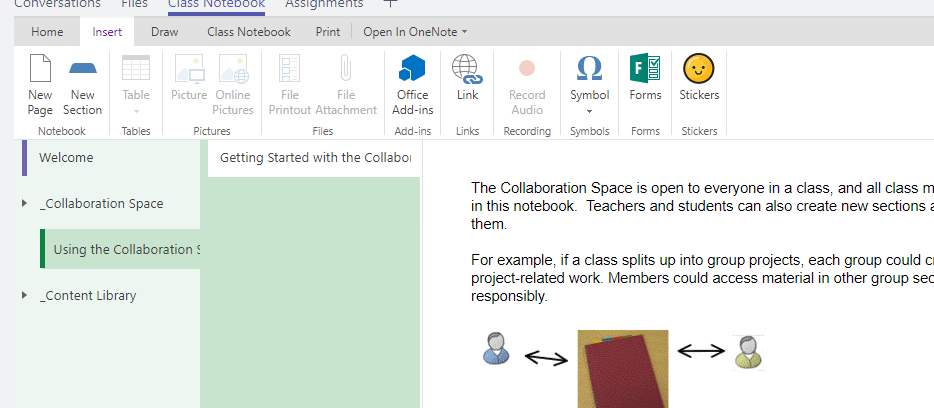
Business vs educational tenant with Microsoft Teams

Options like Microsoft Forms can simply be selected from the ribbon.

But that is not all. How about reviewing students work:

Business vs educational tenant with Microsoft Teams

So a lot of new stuff there all making sharing class notes easier. When logged in a as a student a smaller subset of notebooks will be available. This is a great new way to manage all those notes. And you can even share your notes, just like that.

Assignments

In the Assignments section, teachers can create new assignments for students:
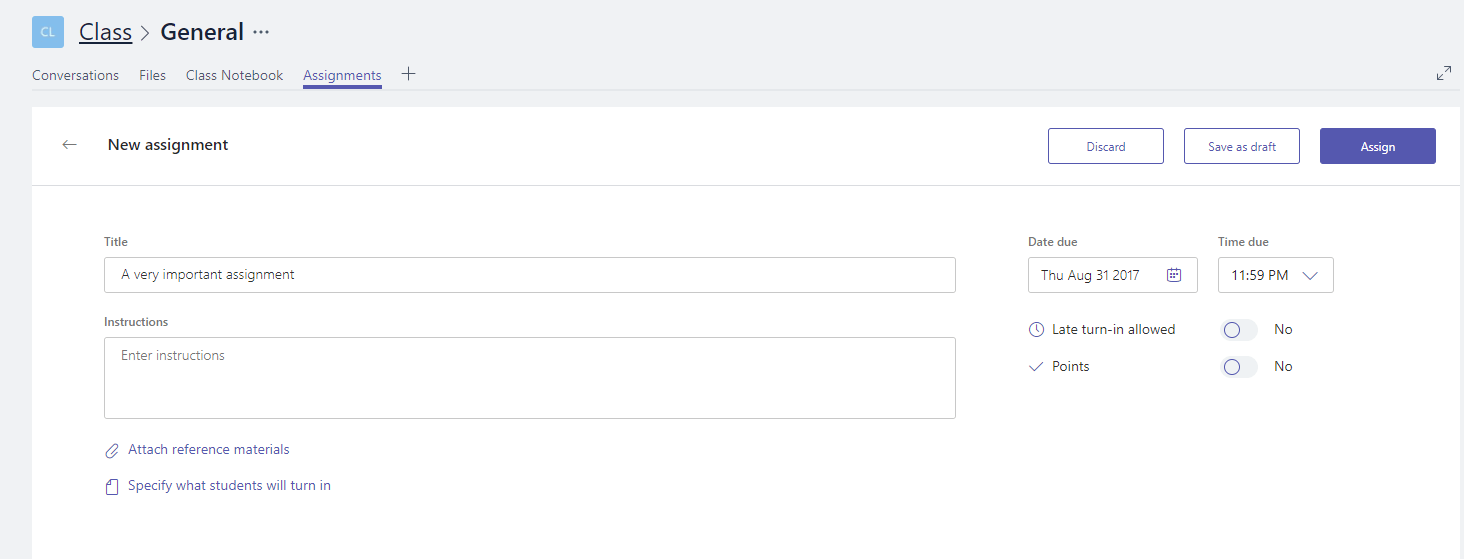
Business vs educational tenant with Microsoft Teams

Reference materials can be included, due dates can be specified. Isn’t this great! No need to collect you assignments you can do this directly from the comfort of your home or where every you may be.

Do you want to get an overview of all your assignments? Well they are only one click away:
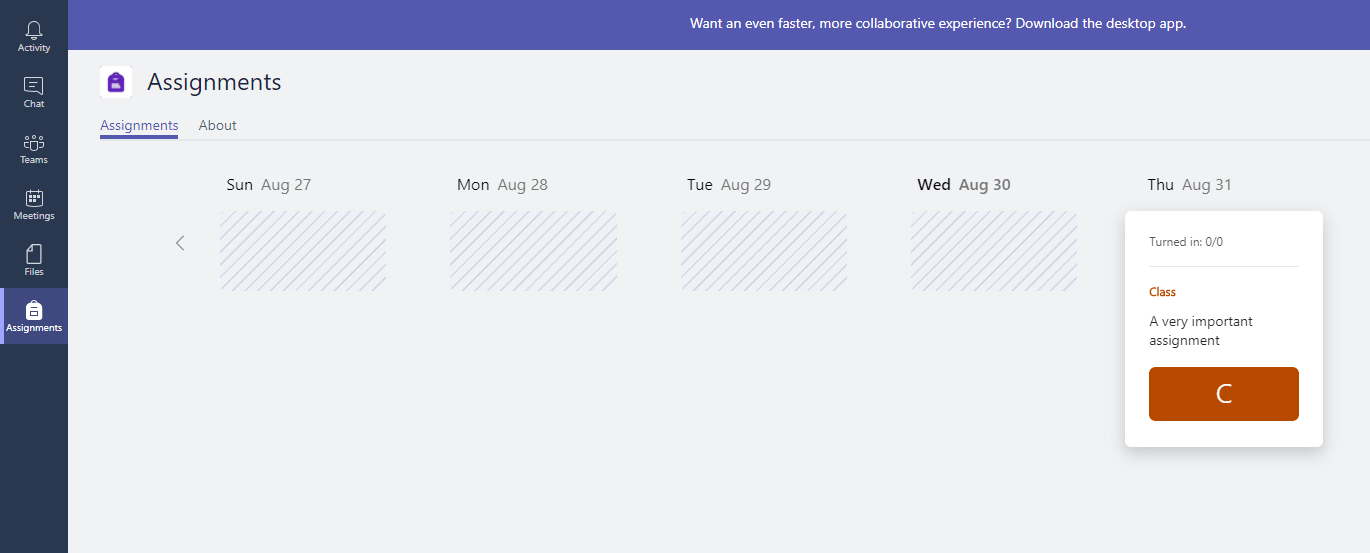
Business vs educational tenant with Microsoft Teams

The here above mentioned PLCs, Staff Members and Anyone teams are similar team sites. They only don’t have the Assignments section available. Also the notebooks have been replaced by notebooks for each area.

Is your business still running on paper trails, sprawling Excel files, or ageing Access databases? There’s a better way — and I can show you exactly what it looks like. I’m the Technical Director of Vantage 365, a Microsoft solutions consultancy working with clients across the UK, the Netherlands, and worldwide. For over 30 years I’ve been turning messy, manual business processes into clean, automated systems that save time, reduce errors, and give teams the visibility they need to make better decisions. SharePains is not just any blog run by a Microsoft MVP. Have you ever used Try-Catch in Power Automate? The original post about Try-Catch in Power Automate can still be found on this site, https://staging.sharepains.com/2018/02/07/try-catch-finally-in-power-automate-flow/ Or have you ever used the Pieter’s method to avoid variables and speed up your flows? https://staging.sharepains.com/2020/03/11/pieters-method-for-advanced-in-flows/ You can contact me using contact@staging.sharepains.com

13 responses to “Business vs educational tenant with Microsoft Teams”

  1. msorribes@encamina.com Avatar
    msorribes@encamina.com

    Hi,

    very interesting post indeed.

    So, do you think that this difference has to do with the tenancy being education? or has it to do more with the type of license that the users have assigned to them?

    I have been investigating this for a while now, and could not find a firm confirmation.

    Thanks,
    Mario

    1. Pieter Veenstra Avatar

      Hi Mario,

      I’m quite sure that the actual tenants are different and that it is more than just an app being available or not due to licensing.

      1. msorribes@encamina.com Avatar
        msorribes@encamina.com

        Hi Pieter,

        the tenants are different indeed, one is Dev (perhaps with O365 E Plan Dev. subscription in it) and the other one is EDU (containing A Plan licenses most probably).

        But, as you may know already, in an EDU tenant you can have E and A licenses together.

        In that EDU tenant, some users may have the E licenses assigned to them, and some others the A ones.

        Being all of them in the same EDU tenant,

        – Will all of them get the same dialog when creating a new team because they are in the same education environment?
        – Or will they get the different ones, depending on the licenses they have assigned?

        Hope someone can provide some clarity on this.

      2. Pieter Veenstra Avatar

        Just to let you know. I’m trying to find out. Watch this space.

      3. Pieter Veenstra Avatar

        Hi Mario,

        I’ve got the answer for you

        Norm Young
        was very helpful and I tested this in on of his Edu Tenants. When logged in as an E3 user you will get the following templates:
        Edu Tenant Team Templates

  2. msorribes@encamina.com Avatar
    msorribes@encamina.com

    This is very helpful indeed, thanks!

    do you know if that user is faculty or student? and what license specifically is assigned?

    1. Pieter Veenstra Avatar

      Hi Mario,

      This isn’t a student account as student accounts would have an edu licence with student permissions assigned.

  3. peter jonkers Avatar

    Hello Pieter,
    I have also a question. When a student looks up the teacher, does the student see the personal data of the teacher like telephone number or address if this is filled in to the AAD ?
    i have one case at this point for a school but the use the normal teams in combination with ABP.

    1. Pieter Veenstra Avatar

      Hi Peter,

      No I don’t think that all the details are available. You can however enabled the ‘chat with a teacher’ option so that student can have conversations through the standard chat functionality. But this is also something that can be disabled if needed.

  4. Jaurther Avatar
    Jaurther

    Hey to be precise, MS Teams (Education vs Enterprise) what would be the difference in bullet points? If you can please explain?

    1. Pieter Veenstra Avatar

      The list that I’m aware off:
      1. When you create a new team you can select one of 4 templates
      2. Security: Student users and teacher users
      3. Notebooks with security depending on the user’s roles
      4. Assignments process is included in the class teams

  5. Joeey Joe Avatar
    Joeey Joe

    can i add members from team edu using their work place email into my microsoft teams?

    1. Pieter Veenstra Avatar

      Do you mean using someone else’s account to do something as you?

Leave a Reply

This site uses Akismet to reduce spam. Learn how your comment data is processed.