In one of my recent posts I went through all the SPFx samples that are available on GitHub. When your interested in one of these samples and then you try to make them work you might find that things aren’t as easy as you would like. Especially when you’re not familiar with SPFx yet. these samples are however a great source of learning material when you try to get familiar with SPFx.
So you’ve collected one or all the samples from GitHub and you’re ready to try a sample out and then you get all sorts of errors when you run gulp serve. Can it get any worse? you’re trying to learn about new technology and things don’t work. Trying to debug something that isn’t something that you’re familiar with can be a real pain.
In this post I will help you to get started with all the samples by building up a script that builds all the samples for you. That way as you work through the options at least all the missing bits and pieces are in place. I hear you ask : “Is there something missing in the samples then? ”
No, there isn’t!
The samples however don’t include all the bits that you may need to install in your environment.
In my case I’ve clones the sp-dev-fx-webparts repository (or actually my own fork of this repository) to the local folder C:\Workspace\sp-dev-fx-webparts.
Then I created a PowerShell script to update each of the samples with the right npm modules and build the samples using the following script:
Clear-Host
npm -g install npm@4
Set-Location C:\Workspace\sp-dev-fx-webparts\samples
$folders = Get-ChildItem -Directory
foreach ($folder in $folders)
{
   Set-Location ./$folder
   Write-Host -ForeGroundColor Green "Starting build for " $folder.Name
   switch ($folder.Name)
   {
      "angular-migration"
      {
         $subfolders = Get-ChildItem -Directory
         foreach ($subfolder in $subfolders)
         {
            if ($subfolder.Name -ne "node_modules" -and $subfolder.Name -ne "assets" -and $subfolder.Name -ne "angular-todo" )
            {
              Set-Location ./$subfolder</p>
              npm cache verify
              npm install
              gulp bundle
              Set-Location ..
            }
        }
     }
     "sharepoint-crud"
     {
         npm cache verify
         npm install
         npm install typings
         npm install sp-pnp-js
         gulp bundle
     }
     "js-powerbi-embedded"
     {
         npm cache verify
         npm install
         npm install powerbi-client
         gulp bundle
     }
     "aad-api-spo-cookie"
     {
        Set-Location "./webpart"

        npm cache verify
        npm install
        gulp bundle
        Set-Location ".."
        Write-Host -ForeGroundColor Yellow "Completed build for " $folder.Name
     }
     default
     {
        npm cache verify
        npm install
        gulp bundle
     }
   }

   if ($Error.Count -gt 0)
   {
       Write-Host "Failed to build " $folder.Name
       exit
   }

   Write-Host -ForeGroundColor Yellow "Completed build for " $folder.Name
   Set-Location ..
}
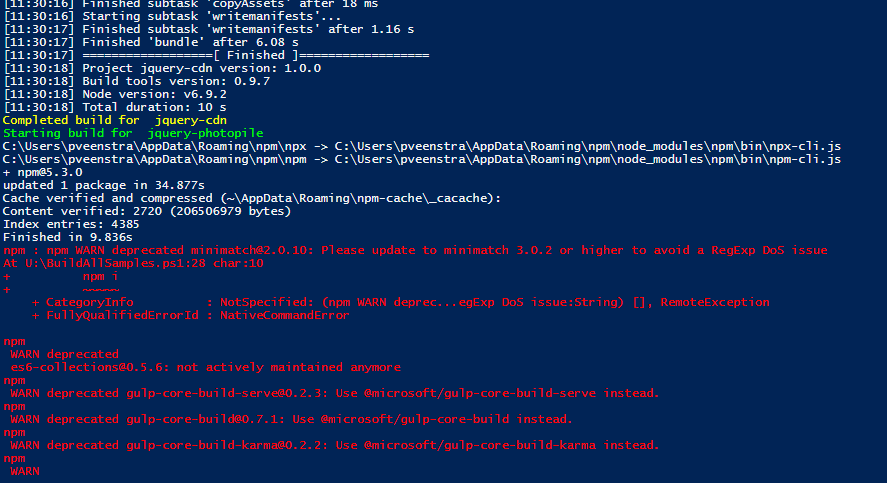
Other than the many warnings about deprecated modules like the ones below, I found that all the samples built without any problems:
Ok, so now I’ve got the samples but how can I try them out?
Simply run the following command in each of the sample folders and the sample will be shown in your browser:
gulp serve
Note that you might not want to run gulp serve from a PowerShell ISE as the ISE doesn’t seem to be happy to end the gulp serve process. The Command Prompt works better.
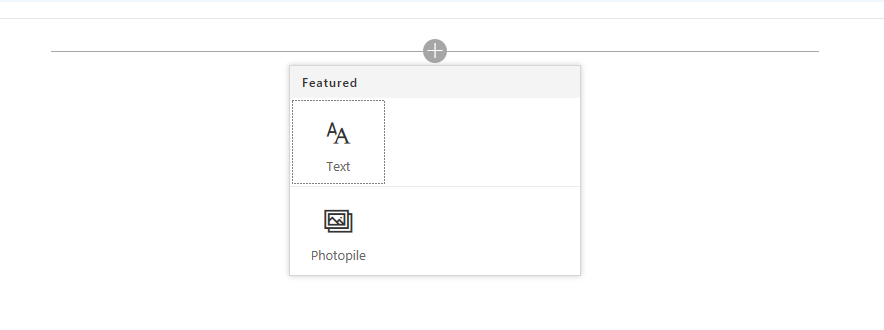
the final steps of adding your web part are easy:
I have found a few of the samples however that currently don’t seem to work (this list isn’t complete yet, but just showing some examples of issues)
- angular-multipage (problems with the @types module)
- js-powerbi-embedded (powerbi-client.d.ts’ is not a module)
- react-aad-implicitflow
- react-custompropertypanecontrols
- react-todo-basic
- react todo
Most likely the errors reported by the above samples are related to SPFx version that the sample was developed for (preview releases) or missing modules (like the crud example that needs sp-pnp-js). Over time I’m hoping to reduce the size of the above list. In one of his posts Waldek describes a few of these issues related to versions of TypeScript.
Please note that this is a work in progress post. I will update this post ad I go through the examples.
Pieter Veenstra

Is your business still running on paper trails, sprawling Excel files, or ageing Access databases? There’s a better way — and I can show you exactly what it looks like. I’m the Technical Director of Vantage 365, a Microsoft solutions consultancy working with clients across the UK, the Netherlands, and worldwide. For over 30 years I’ve been turning messy, manual business processes into clean, automated systems that save time, reduce errors, and give teams the visibility they need to make better decisions. SharePains is not just any blog run by a Microsoft MVP. Have you ever used Try-Catch in Power Automate? The original post about Try-Catch in Power Automate can still be found on this site, https://staging.sharepains.com/2018/02/07/try-catch-finally-in-power-automate-flow/ Or have you ever used the Pieter’s method to avoid variables and speed up your flows? https://staging.sharepains.com/2020/03/11/pieters-method-for-advanced-in-flows/ You can contact me using contact@staging.sharepains.com


Leave a Reply
You must be logged in to post a comment.