
Sizing you apps in Power Apps isn’t any more complicated than setting the height and the width of the app. But tday I came across a situation where I needed a banner shaped app.
Banner image
So I created a Power App and added an image control that shows my banner.

If I was to add this to a sharePoint page then I would end up with a lot of unused space on my page.
So how do we resize the app so that we don’t have the white space appear. One important factor here is that my image control is only 100px high!
Resize the app
Reszing the app is easy, although…
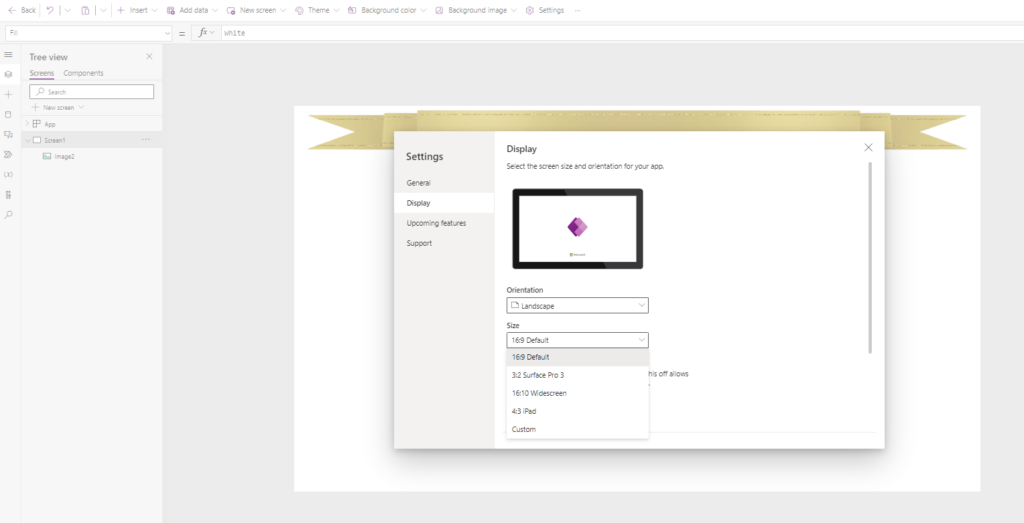
After selecting Custom as a size, I can change the size of the the app
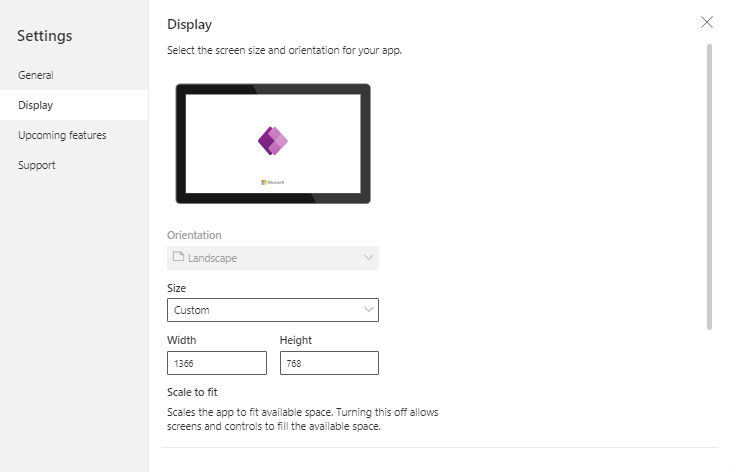
I’m going to set this to 120.
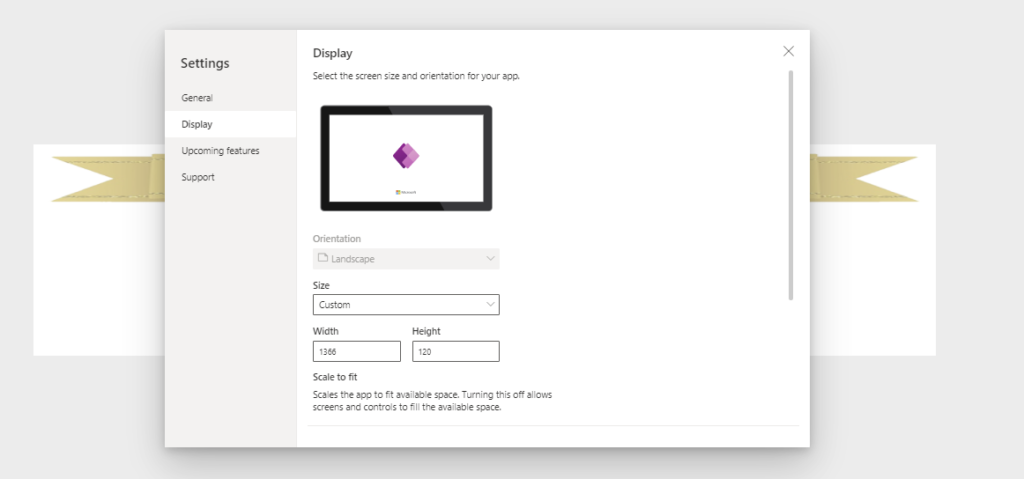
No this post isn’t just about resizing the app. That would be a bit too simple.
The various Heights and Widths of an app
There is another setting important here. But before I look at that I will have a look at the various height and width properties.
We have 3 properties that are important.
- App.Height – This is the height that we set earlier
- Screen.Height
- App.MinScreenHeight – This is set to 320 by default

Ok, this is slightly weird, We and an app that is 120 high and a screen that is 320 high.
When we look at the screen’s height property we quite quickly can find out the issue.
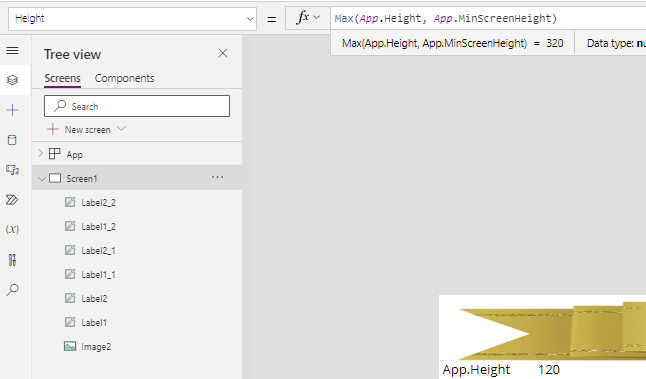
The height of a screen is set to Max(App.Height, App.MinScreenHeight). In my case this means that the minimum height of the screen, creates screens that are higher than my app.
Settings the App.MinScreenHeight to the height of my app resolves my issue of making the app appear with an height of 100 on my SharePoint page.
Pieter Veenstra

Is your business still running on paper trails, sprawling Excel files, or ageing Access databases? There’s a better way — and I can show you exactly what it looks like. I’m the Technical Director of Vantage 365, a Microsoft solutions consultancy working with clients across the UK, the Netherlands, and worldwide. For over 30 years I’ve been turning messy, manual business processes into clean, automated systems that save time, reduce errors, and give teams the visibility they need to make better decisions. SharePains is not just any blog run by a Microsoft MVP. Have you ever used Try-Catch in Power Automate? The original post about Try-Catch in Power Automate can still be found on this site, https://staging.sharepains.com/2018/02/07/try-catch-finally-in-power-automate-flow/ Or have you ever used the Pieter’s method to avoid variables and speed up your flows? https://staging.sharepains.com/2020/03/11/pieters-method-for-advanced-in-flows/ You can contact me using contact@staging.sharepains.com
Leave a Reply
You must be logged in to post a comment.