To get all your broken connections in the Power Platform can be a challenge. In this post I will use flow to collect the broken connections.
Options to get broken links
In this post I will have a look at using a flow to collect the broken connections after someone contacted me today about the PowerShell solution that I wrote a while back.
At first I started building my flow and then I quite quickly ended up with the hated nested apply to each steps.
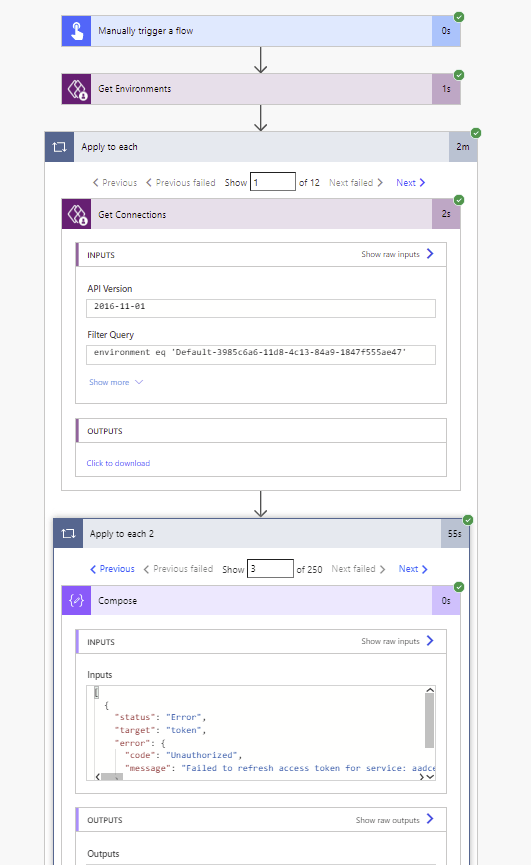
Noooooooooo!!!!!
The right way to collect broken connections
The better way is to create a flow that doesn’t use any nested apply to each steps like the one below:
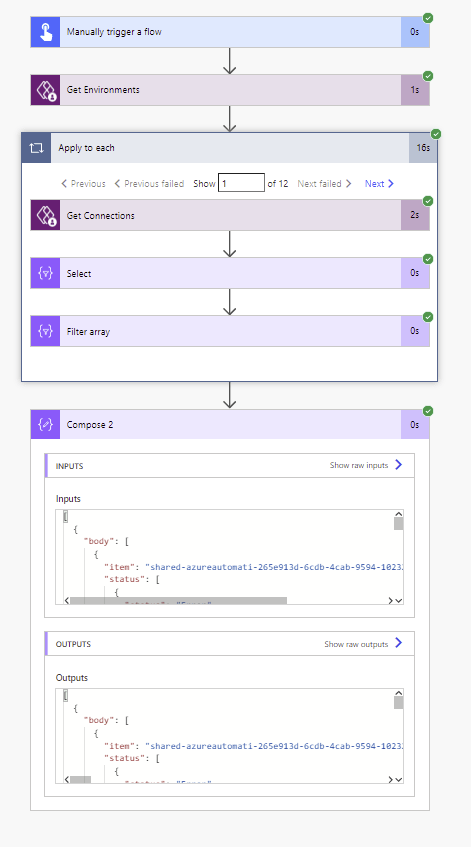
Ok, you might want to schedule these flows on a daily basis or so and then send an email at the end, but that is a bit of detail that we can worry about later. In this post I want to focus on getting the failing connections only.
Get Environments
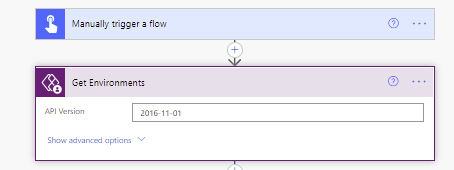
We all use multiple environments, don’t we? so I want to step through the different environments first. so after my initial trigger of the flow I will add a Get Environments action.
Get Connections
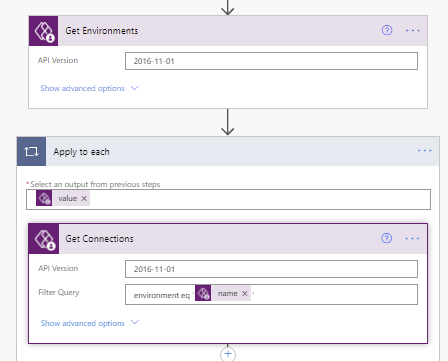
No need to bother with an apply to each here. Power Automate will add it automatically as we complete the configuration of the Get Connections action.
So just add the get connections and select name form the dynamic properties as shown below.
Massage the connections data
The next action is a select.
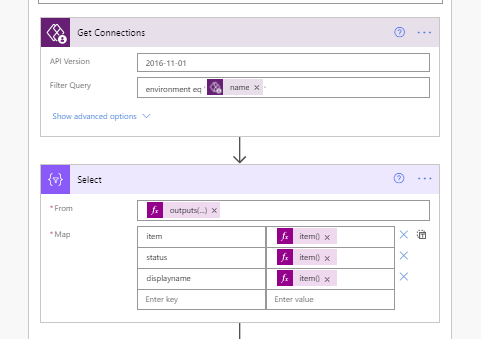
I’m going to use the following expressions in the above select.
From: outputs(‘Get_connections’)?[‘body/value’]
Map:
item: item()?[‘name’]
status: item()?[‘properties/statuses’]
displayname: item()?[‘properties/displayName’]
Now we just need to filter the connected connections out and we have all the connections that are in trouble.
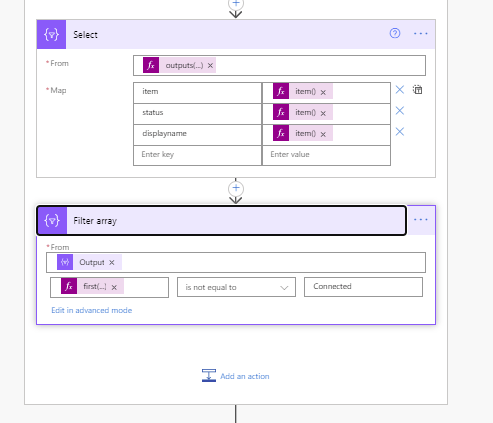
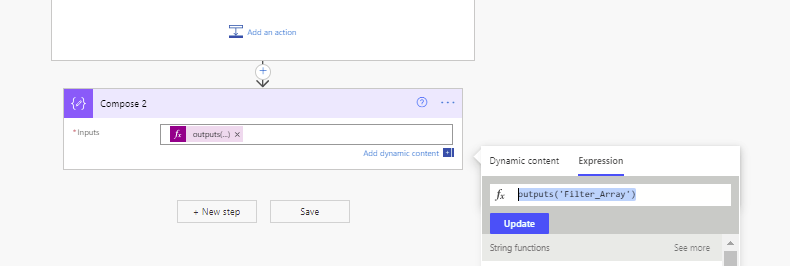
now all we need to do is collect the results from the filters and we will have a single array with all the failed connections from all environments.
Pieter Veenstra

Is your business still running on paper trails, sprawling Excel files, or ageing Access databases? There’s a better way — and I can show you exactly what it looks like. I’m the Technical Director of Vantage 365, a Microsoft solutions consultancy working with clients across the UK, the Netherlands, and worldwide. For over 30 years I’ve been turning messy, manual business processes into clean, automated systems that save time, reduce errors, and give teams the visibility they need to make better decisions. SharePains is not just any blog run by a Microsoft MVP. Have you ever used Try-Catch in Power Automate? The original post about Try-Catch in Power Automate can still be found on this site, https://staging.sharepains.com/2018/02/07/try-catch-finally-in-power-automate-flow/ Or have you ever used the Pieter’s method to avoid variables and speed up your flows? https://staging.sharepains.com/2020/03/11/pieters-method-for-advanced-in-flows/ You can contact me using contact@staging.sharepains.com


Leave a Reply
You must be logged in to post a comment.