Nobody likes it when people leave your organisation, but apart from the emotional part of this. What do you do when leavers own flows in Power Automate?
Flow Owners
Last week I was asked about what to do when owners of flows leave. In this post some guidance on how to handle leavers.
In this post I will use a user account Lucy Eaver who creates some flows. in this case I’m only going to look at automated cloud flows, Instant cloud flows and Scheduled cloud flows
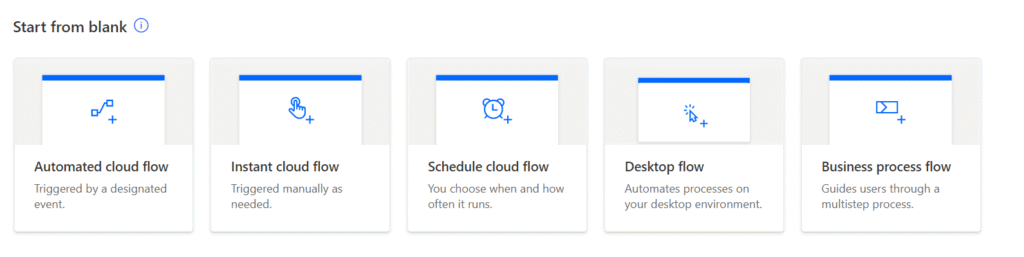
Did you notice that the names of these type of flows has changed today? We now have cloud flows vs the Desktop flow and Business process flows.
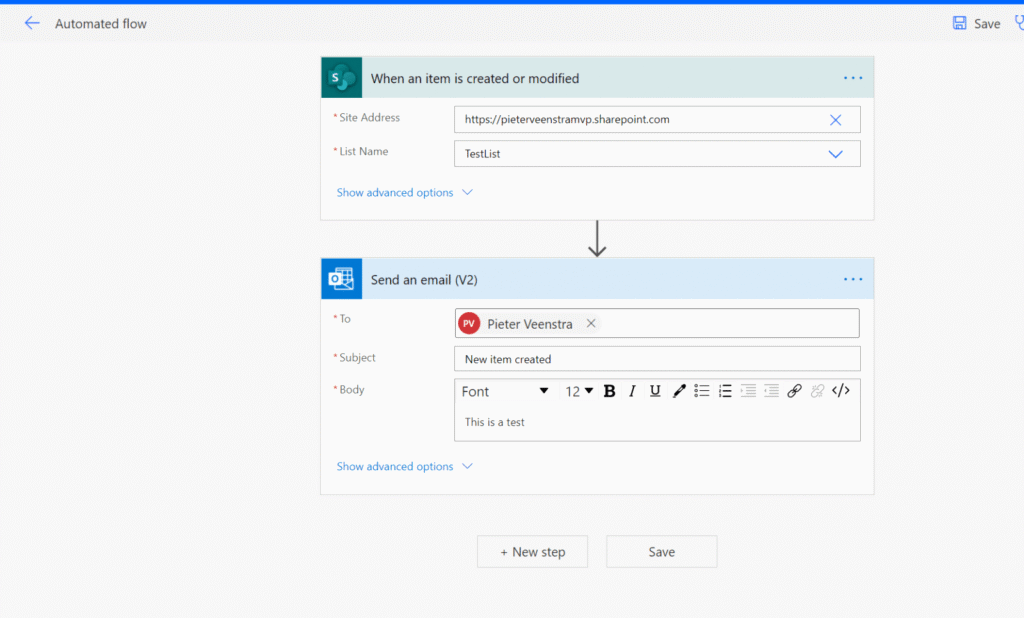
An Automated flow
Lucy has created an automated flow as shown below.
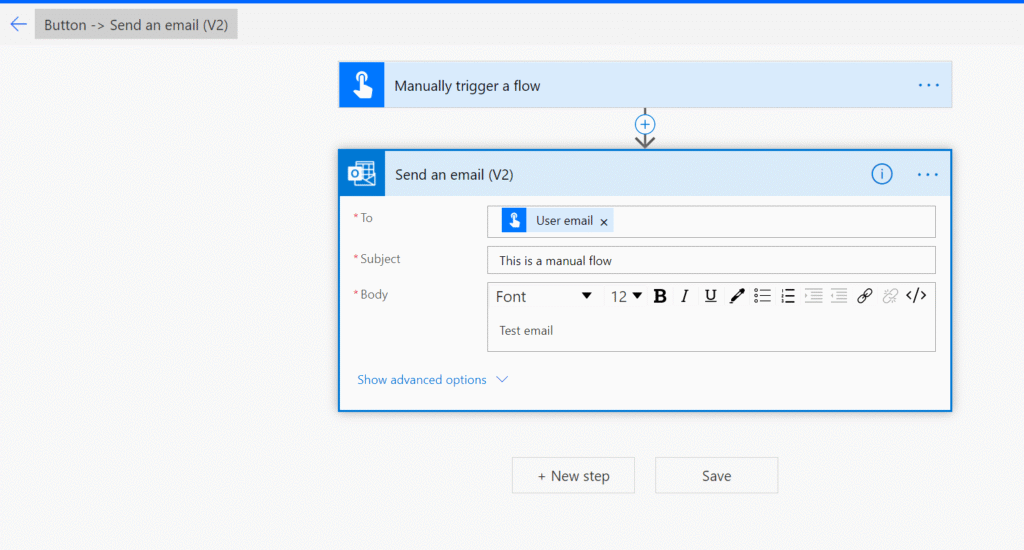
An instant flow
Then Lucy creates another flow, this time a manually started flow.
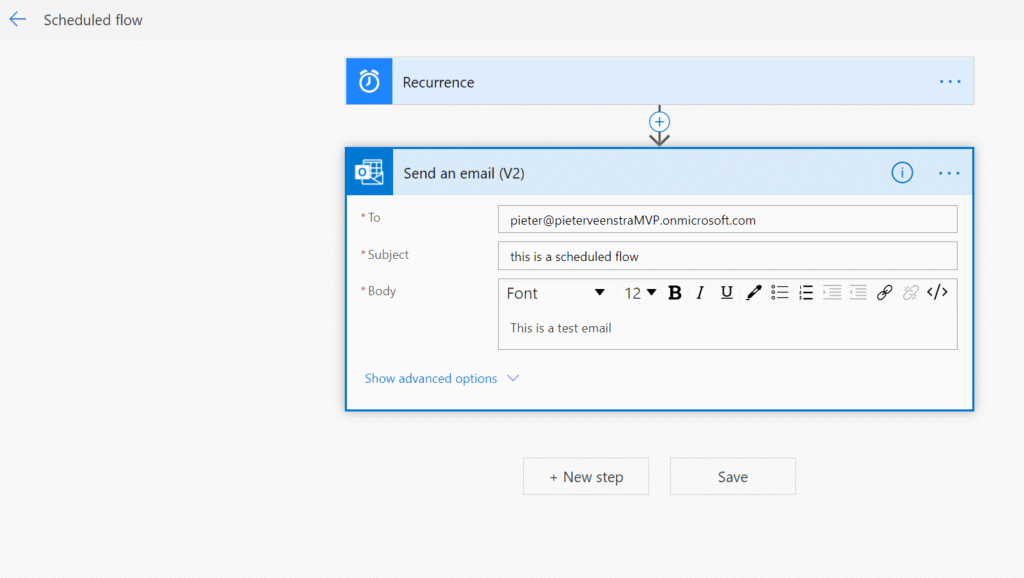
A Scheduled flow
Running the flows
Now as a create an item in the Testlist in SharePoint and I start the manual flow i’m getting some emails.
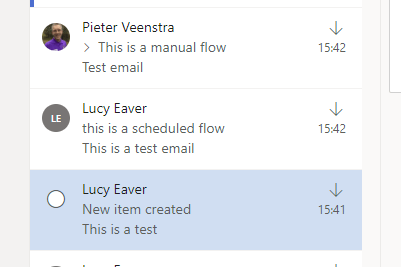
We can now see that the Manual flow sends out emails as myself and the schedule and automated flow still run as the owner of the flow.
Now Lucy turns into Mrs L.Eaver, and her account is going to be disabled. What will happen to the flows?
Disabled user account
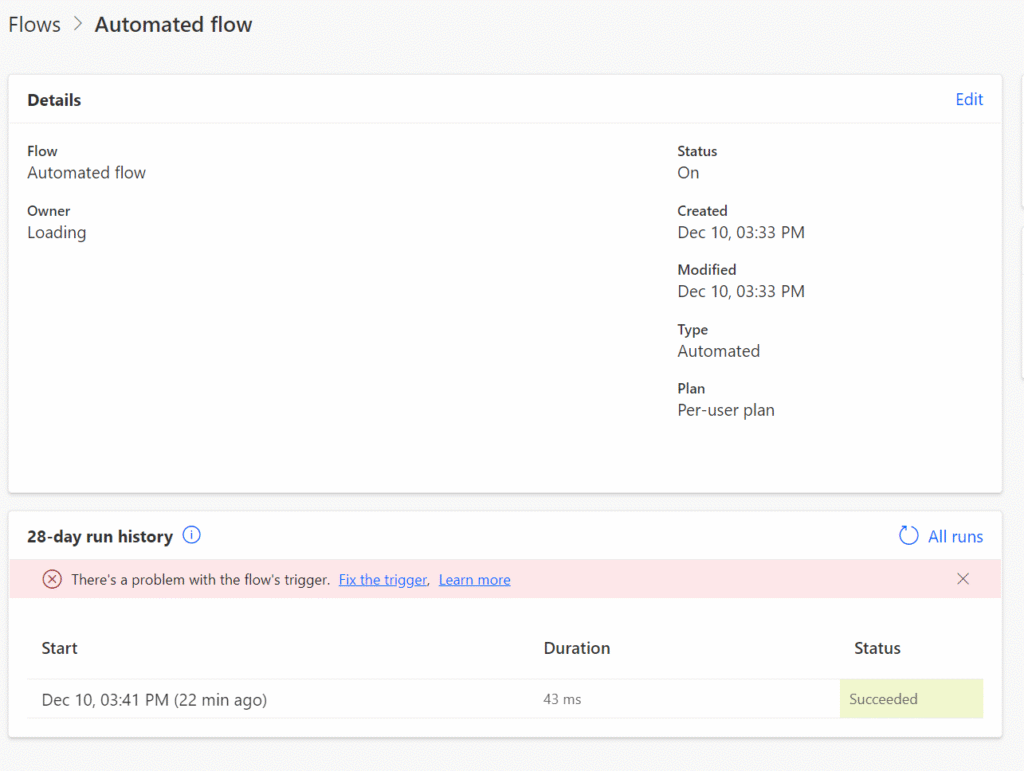
The manual flow still works, but the automated flow is now showing some issues with the trigger:
And also the scheduled flow is now happy:
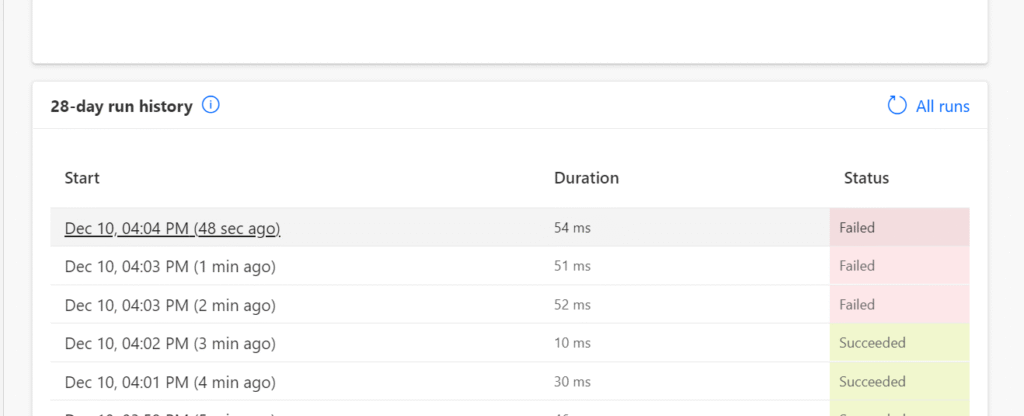
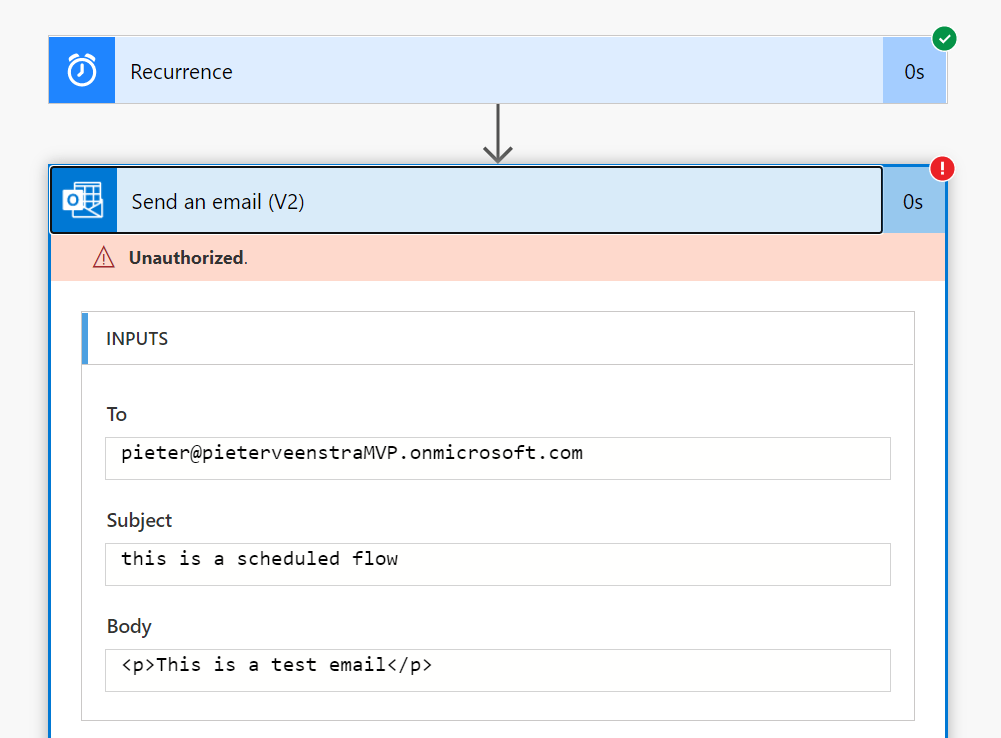
Ok, this is all expected and Mrs L.Eaver’s email address is not available anymore for use anymore.
But what do we do? The manual flow was shared with another user account and the first time a user runs this flow they give consent on the flows to use their account for the connections in the flow.
But the Scheduled and Automated flows were not ok as these flows are running as the flow owner.
What should we do if these flows are critical to our business?
First of all you shouldn’t have flows owned by just one person.
Also tools like the Centre of Excellence can help identifying which flows and apps someone owns.
Power Platform Admin Center
In the Power Platform Admin Center you can find all your flows back and also everybody else’s. This includes our leaver’s flows.
In the below awful interface ( there is a load more button at the bottom of the page that you need to use to load all the flows) you can sort by owners or modified time to find all Lucy’s flows.
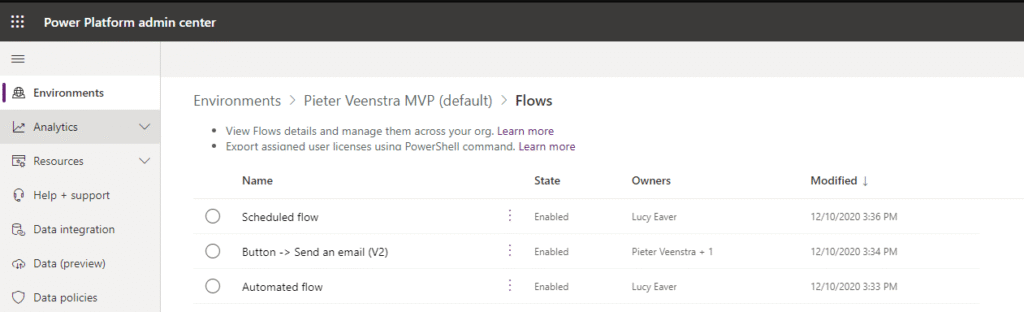
And from here we can take ownership of the flows by sharing the flows with the right users.
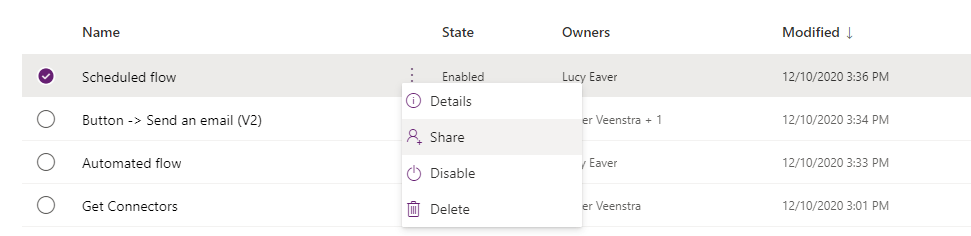
So now that we have identified the problem flows we can share the flows with other people. But this could of course happen again and again.
The answer is service accounts. Share flows with a service account that is managed centrally.
Multiple environment
As your efforts in the Power Platform mature, you will find the need for multiple environments, typically you would end up with Development, Test and Production environments. Personally I would create apps and flows using serviced accounts in test and production environments, while in development I could still use my personal account.
Pieter Veenstra

Is your business still running on paper trails, sprawling Excel files, or ageing Access databases? There’s a better way — and I can show you exactly what it looks like. I’m the Technical Director of Vantage 365, a Microsoft solutions consultancy working with clients across the UK, the Netherlands, and worldwide. For over 30 years I’ve been turning messy, manual business processes into clean, automated systems that save time, reduce errors, and give teams the visibility they need to make better decisions. SharePains is not just any blog run by a Microsoft MVP. Have you ever used Try-Catch in Power Automate? The original post about Try-Catch in Power Automate can still be found on this site, https://staging.sharepains.com/2018/02/07/try-catch-finally-in-power-automate-flow/ Or have you ever used the Pieter’s method to avoid variables and speed up your flows? https://staging.sharepains.com/2020/03/11/pieters-method-for-advanced-in-flows/ You can contact me using contact@staging.sharepains.com


Leave a Reply
You must be logged in to post a comment.