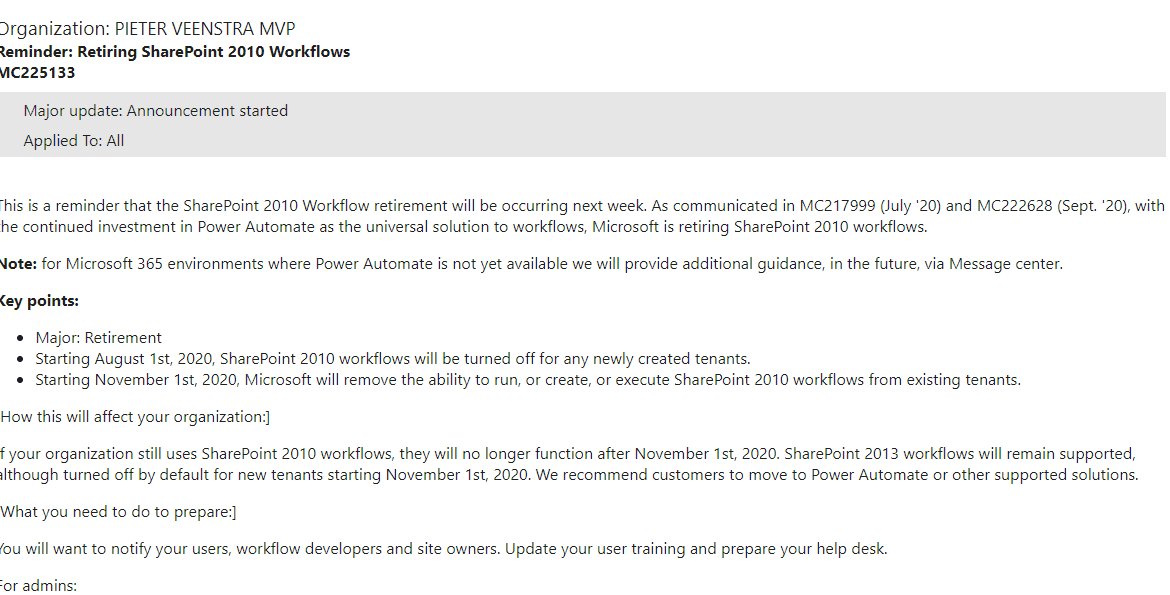
Are you ready for your SharePoint 2010 Workflows retiring next week?
SharePoint 2010
Well SharePoint 2010 seems to be a long long time ago.
Note the comment in the post:
If your organization still uses SharePoint 2010 workflows, they will no longer function after November 1st, 2020. SharePoint 2013 workflows will remain supported, although turned off by default for new tenants starting November 1st, 2020. We recommend customers to move to Power Automate or other supported solutions.
This means that on Monday, you will find that your SharePoint 2010 workflows in SharePoint Online will not run!
Are you ready?
Power Automate
You will probably start by visiting https://flow.microsoft.com, and then create your first flow.
Then add some steps, and very soon you will like flow better than SharePoint designer. and before you know it you will have build yourself a nice flow.
If you need some help migrating workflows to flows and you just want to take the work away then please feel free to click on the chat on this site I’m happy to help you.
If you want to do this yourself, then please have a look at My Power Automate User Guide, it will help you get started. Although you better be quick because there isn’t long left now.

SharePoint 2010 workflows retiring, what now?
One big mistake that a lot of people make is to take the SharePoint Designer workflows steps and find the replacement steps and then assume that it will roughly work the same way.
Workflows are not the same as flows! And that is a good thing!
If you want to find the replacements for each step then have a look at my workflows vs flow step comparison post from a while back.
But be aware that you want to setup your flows in a different way. Making flows perform well is a very different task from making workflows perform. Also the reliability of flows is a lot better ( if you do things the right way!)
If you have already completed the migration job, then please feel free to share your experiences below.
Pieter Veenstra

Is your business still running on paper trails, sprawling Excel files, or ageing Access databases? There’s a better way — and I can show you exactly what it looks like. I’m the Technical Director of Vantage 365, a Microsoft solutions consultancy working with clients across the UK, the Netherlands, and worldwide. For over 30 years I’ve been turning messy, manual business processes into clean, automated systems that save time, reduce errors, and give teams the visibility they need to make better decisions. SharePains is not just any blog run by a Microsoft MVP. Have you ever used Try-Catch in Power Automate? The original post about Try-Catch in Power Automate can still be found on this site, https://staging.sharepains.com/2018/02/07/try-catch-finally-in-power-automate-flow/ Or have you ever used the Pieter’s method to avoid variables and speed up your flows? https://staging.sharepains.com/2020/03/11/pieters-method-for-advanced-in-flows/ You can contact me using contact@staging.sharepains.com


Leave a Reply
You must be logged in to post a comment.