After yesterday’s post, How reliable is Microsoft Flow?, today it is time to look at the reliability of triggers.
During this series I’m going through my conclusions as I try to get to developing reliable Flows.
Posts in this series:
Part 1 – Twitter feeds turned into emails
Part 2 – SharePoint lists alerts with Flow
I want to make my system very busy end then see if Microsoft Flow can keep up. So in this post I’m going to take the next step. I’m going to create 100 item in a SharePoint list using PowerShell. Then I’m going to trigger a flow on the item creation and send myself an email for each of the items.
So my Flow looks like this:
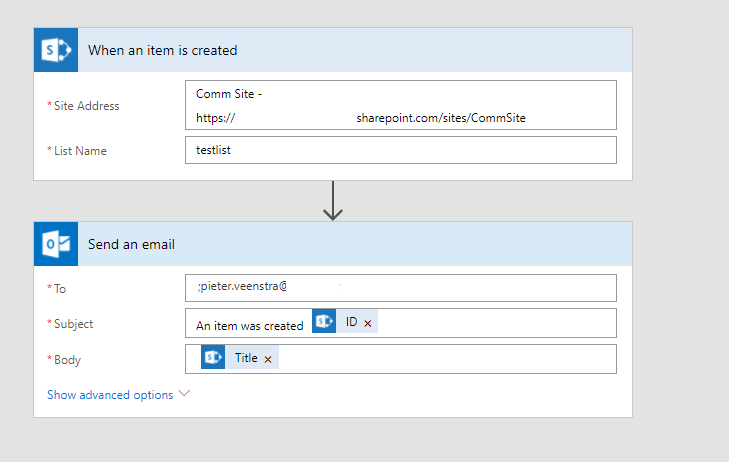
All quite straight forward.
Now the PowerShell script:
$siteUrl = ...
Connect-PnPOnline $siteUrl
$web = Get-PnPWeb
$list = Get-PnPList -Web $web -Identity testlist

For ($i=0;$i -lt 100; $i++) {
Add-PnPListItem -List $list -ContentType "Item" -Values @{"Title" = "Test Item $i"}
}
Then my items are being created:
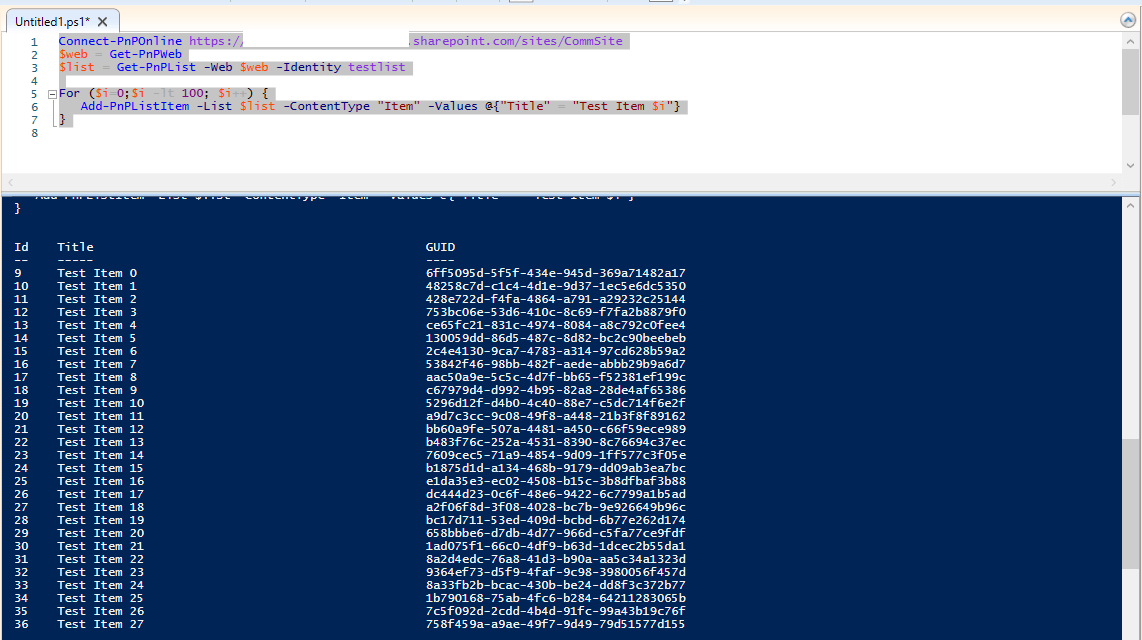
and as the items are created my email alerts are coming in quite quickly. If you want to know more about PnP PowerShell creating items then please read all about Add-PnPListItem.
This is a lot better than yesterday’s test results. Even the run history is giving me a 100% success rate.
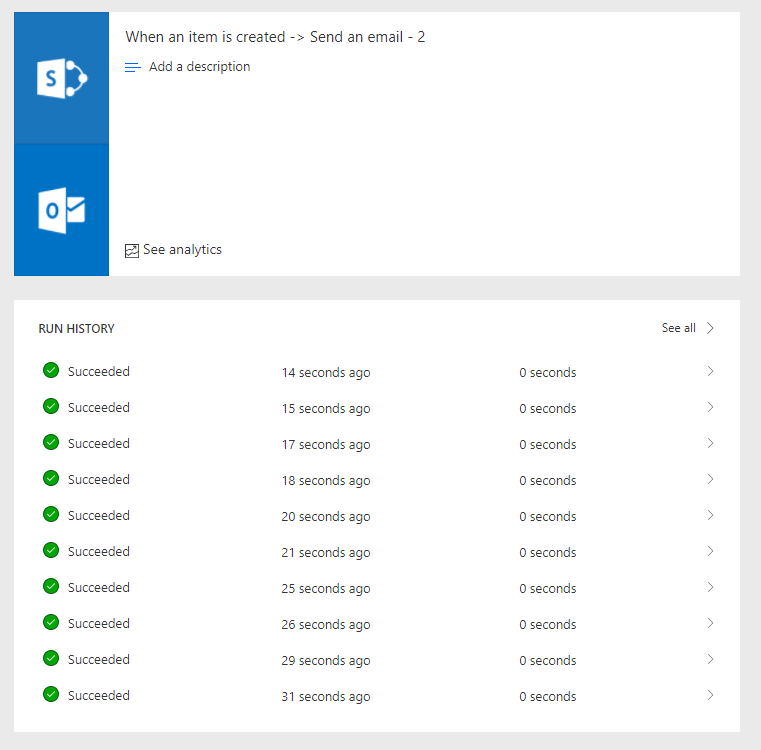
The conclusion today is a lot better. So maybe I should rename my posts and check each connector. It looks like yesterday’s trigger based on Twitter wasn’t very reliable whereas the SharePoint list connector is very good.
So why is one better than the other.
Reliability of triggers
It’s all based on the trigger mechanism that is used. When triggering on the creation of a list item there is a data driven process. Therefor the data is always available. Yesterday’s Twitter Trigger was time driven. Every X minutes checking if there is something to do and then handle all data that is coming in is slightly harder as there might not be any data to handle, hence the error messages that appeared.
Therefore when building flows in Power Automate it is important to realise how your Flows are triggered.
Pieter Veenstra

Is your business still running on paper trails, sprawling Excel files, or ageing Access databases? There’s a better way — and I can show you exactly what it looks like. I’m the Technical Director of Vantage 365, a Microsoft solutions consultancy working with clients across the UK, the Netherlands, and worldwide. For over 30 years I’ve been turning messy, manual business processes into clean, automated systems that save time, reduce errors, and give teams the visibility they need to make better decisions. SharePains is not just any blog run by a Microsoft MVP. Have you ever used Try-Catch in Power Automate? The original post about Try-Catch in Power Automate can still be found on this site, https://staging.sharepains.com/2018/02/07/try-catch-finally-in-power-automate-flow/ Or have you ever used the Pieter’s method to avoid variables and speed up your flows? https://staging.sharepains.com/2020/03/11/pieters-method-for-advanced-in-flows/ You can contact me using contact@staging.sharepains.com


Leave a Reply
You must be logged in to post a comment.